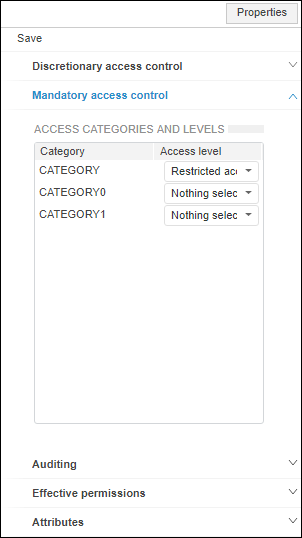
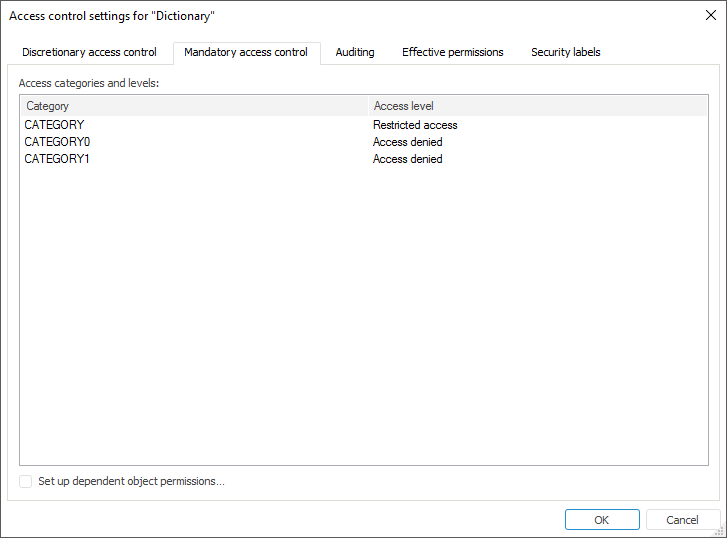
To set up mandatory access control permissions, use the Mandatory Access Control tab on the Properties side panel in the web application and in the Access Control Settings dialog box in the desktop application.
NOTE. Setting up is available only if the mandatory access control method is selected.
Setting up mandatory access control parameters enables the user to assign access levels to the information stored in objects.
NOTE. Multiple selection of object classes is available to set up parameters on opening the Access Control Settings dialog box in the desktop application or on the Access Permissions side panel in the web application. After the permissions are determined, access permissions are set for each selected class object.
Determine the access level that limits the ability of a user or a user group to work with an object.
The Category list contains all access categories added in the Mandatory Access Control section.
In the Access Level column select object access level value for each category in the drop-down list.
Set up dependent object access permissions
In the web application the permissions are set up after clicking the  Dependent Objects button on the toolbar.
In the desktop application the permissions are set up after the Set Up Dependent Object Permissions checkbox is selected.
NOTE. Setting up permissions for dependent objects is available only for the selected object, on which other objects depend.
See also:
Access Control Settings | Setting Up Security Level Parameters