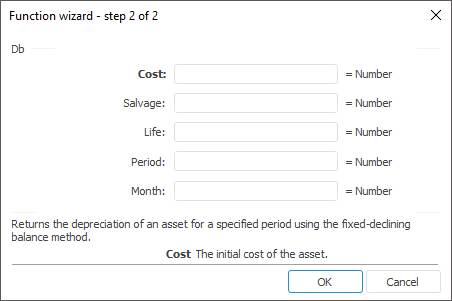
The function wizard for the Db function looks as follows:
Db(Cost, Salvage, Life, Period[, Month])
Cost. The initial cost of the asset.
Salvage. The value at the end of the depreciation.
Life. Number of periods after which the asset is depreciated.
Period. Period, for which depreciation has to be calculated.
Month. The number of months in the first year. Optional parameter. The default value is 12.
NOTE. To determine the parameter, it is available to specify either the parameter value or the cell address where it is located.
It returns the depreciation of an asset for a specified period using the fixed-declining balance method.
The Period parameter must be specified using the same measurement units as the Life parameter.
The method is used to calculate depreciation value based on a fixed interest rate. To calculate depreciation value for a period, the method uses the following equations:
(Cost - total depreciation for previous periods) * Rate,
where:
There are two special cases to be discussed separately. They include calculation of depreciation over the first and the last periods. For the first period Db uses this formula:
Cost * Rate * Month / 12.
For the last period Db uses this formula:
((Cost - total depreciation for previous periods) * Rate * (12 - Month)) / 12.
| Formula | Result | Description |
| =Db(5000, 100, 12, 1) | 1390,00 | Depreciation for the first period. |
| =Db(54000, 1200, 24, B6,7) | 3842,13 | Depreciation for the period, specified in the B6 cell. The B6 cell contains the value 6. |
See also:
Function Wizard | Finance | Ddb | Sln | Syd | Vdb | IFinance.Db