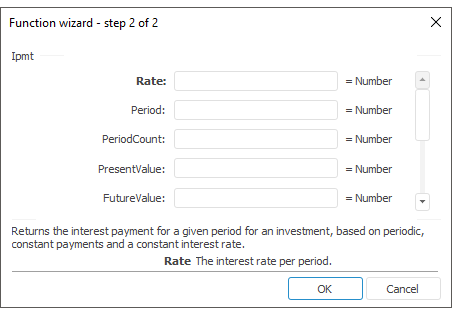
The function wizard for the Ipmt function looks as follows:
Ipmt(Rate, Period, PeriodCount, PresentValue, FutureValue, Type)
Rate. Interest rate per period.
Period. Period for which interest payments have to be found. Value of this parameter is greater than zero and smaller than or equal to value of the PeriodCount parameter
PeriodCount. The total number of payment periods in an annuity.
PresentValue. The present value, or the lump-sum amount that a series of future payments is worth now.
FutureValue. The required value of future cost or the remainder after the last payment.
Type. Selecting payment time. The parameter may take the following values:
0. Payment at the end of the period.
1. Payment at the beginning of the period.
NOTE. To determine the parameter, it is available to specify either the parameter value or the cell address where it is located.
It returns the interest payment for a given period for an investment, based on periodic, constant payments and a constant interest rate.
All the parameters, denoting money, which has to be paid (for example, saving accounts), are represented as negative numbers; all the money, which has to be received (for example, dividends), are represented as positive numbers.
| Formula | Result | Description |
| =Ipmt(0.15,12, 12, 1200, 1500, 0) | 160,03 | Sum of investment interest payments based on the following terms:
|
| =Ipmt(0.09,12, 14, A0, B0, 0) | 53,15 | Sum of investment interest payments based on the following terms:
|
See also:
Function Wizard │ Finance │ Ispmt │ IFinance.Ipmt