Select one or several series in the data table.
Click the  Transformations button on the Calculations ribbon tab.
Select the Truncate option in the drop-down list of the button.
The Truncate method truncates a series in accordance with specified parameters. The method is included in the Transformations group.
To apply the method:
Select one or several series in the data table.
Click the Transformations button on the Calculations ribbon tab.
Select the Truncate option in the drop-down list of the button.
The Truncate dialog box opens:
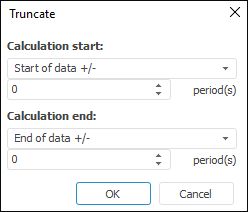
Define the series truncate borders:
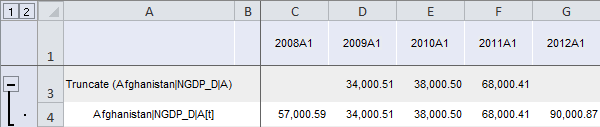
After the method is applied, a series with the name of the Truncate(<Series_Name>) type and containing calculation results is added to the data table for each of the selected series. For example:
See also:
Calculation Methods | Transformations

 Calculation start