Font: PP.Font;
The Font property sets font of the text label.
To execute the example, the page must contain the Speedometer component named speed1 (see Example of Creating a Fuel Gauge Unit). Add a button clicking which changes size and color of the text label:
<input type="button" value="Font" onclick="Font()" />
<script type="text/javascript">
function Font()
{
	speed1.getScales(2).setLabelFont(new PP.Font({
		//size
		Size: 20,
		//color
		Color: "#00BFFF"
	}));
}
</script>
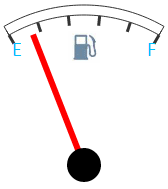
After clicking the Font button color and size of the text labels E and F are changed:
See also: