rebuild();
The rebuild method clears bubble chart of the collection of objects.
To execute this example, the HTML page must contain the BubbleChart component named bubbleChart (see Example of Creating the BubbleChart Component). Create and set a collection consisting of three labels for X axis of the bubble chart:
// Get the X axis of bubble chart
var axisX = bubbleChart.getChartArea().getAxisX();
// Clear collection of old labels for the X axis
var labelsCollection = axisX.getLabels();
labelsCollection.rebuild();
// Determine three labels for the X axis
var labelsSettings = {
    IntervalsCount: '2', // Total number of intervals between labels
    Margin: '5 5 5 5', // External label margins
    Chart: bubbleChart, // bubble chart
    VisualType: axisX.getType(), // Type of bubble chart item
    MaskText: "{%Value:#,##.}", // Text mask for labels
    Style: { // Color labels blue
        Release: new PP.Style({
            Font: {
                Color: "#3366FF"
            }
        })
    },
    IsVisible: true,
    Min: 0, // Minimum value
    Max: 300000 // Maximum value
};
// Create collection of labels
var labels = new PP.Ui.ChartLabelCollection(labelsSettings);
// Create and set collection of labels
axisX.setLabels(labels);
// Refresh bubble chart
bubbleChart.refresh();
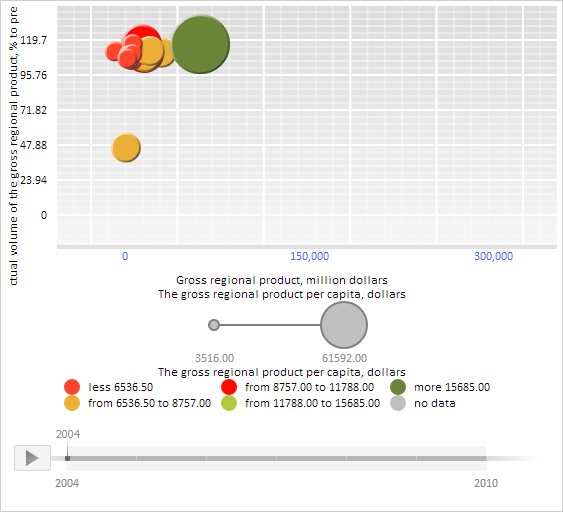
After executing the example a collection consisting of three blue labels with the integer values ranging between 0 and 300.000 is created and set for the X axis of the bubble chart:
See also: