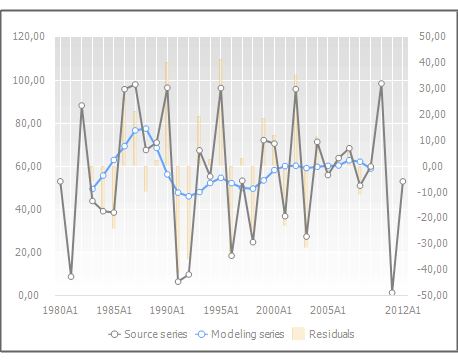
A chart is used for graphic presentation of data contained in the table and is located in the results panel. For example:
If several values of a time series are selected in the table, the chart shows only graphs for the selected values.
If a calculated series
or its child series are selected, the chart is plotted on the series
selected in the drop-down list of the  Show Series
button in the Data group on the Chart ribbon tab.
Show Series
button in the Data group on the Chart ribbon tab.
 Select series
to be displayed on the chart
Select series
to be displayed on the chart
A detailed description of features is given in the Setting Up Chart Components section.
See also:

 Select Data
button in the Data group on the Chart ribbon tab.
Select Data
button in the Data group on the Chart ribbon tab. Rotate Rows
or Columns button in the Data group on the Chart ribbon tab.
Rotate Rows
or Columns button in the Data group on the Chart ribbon tab. Rotate Table button in the View group of the Table ribbon tab. The
chart is rebuilt.
Rotate Table button in the View group of the Table ribbon tab. The
chart is rebuilt. Type
button in the View group on the Chart ribbon tab.
Type
button in the View group on the Chart ribbon tab. Legend button in the View
group on the Chart ribbon tab.
Legend button in the View
group on the Chart ribbon tab. . The legend
is not displayed.
. The legend
is not displayed. . The upper
left corner.
. The upper
left corner. . The upper
border center.
. The upper
border center. . The upper
right corner.
. The upper
right corner. . The right
border center.
. The right
border center. . The lower
right corner.
. The lower
right corner. . The lower
border center.
. The lower
border center. . The lower
left corner.
. The lower
left corner. . The left
border center.
. The left
border center. Data
Labels button in the View group of the Chart ribbon tab.
Data
Labels button in the View group of the Chart ribbon tab. Normalization
button in the Data group on the Chart ribbon tab. The chart is rebuilt.
Normalization
button in the Data group on the Chart ribbon tab. The chart is rebuilt.