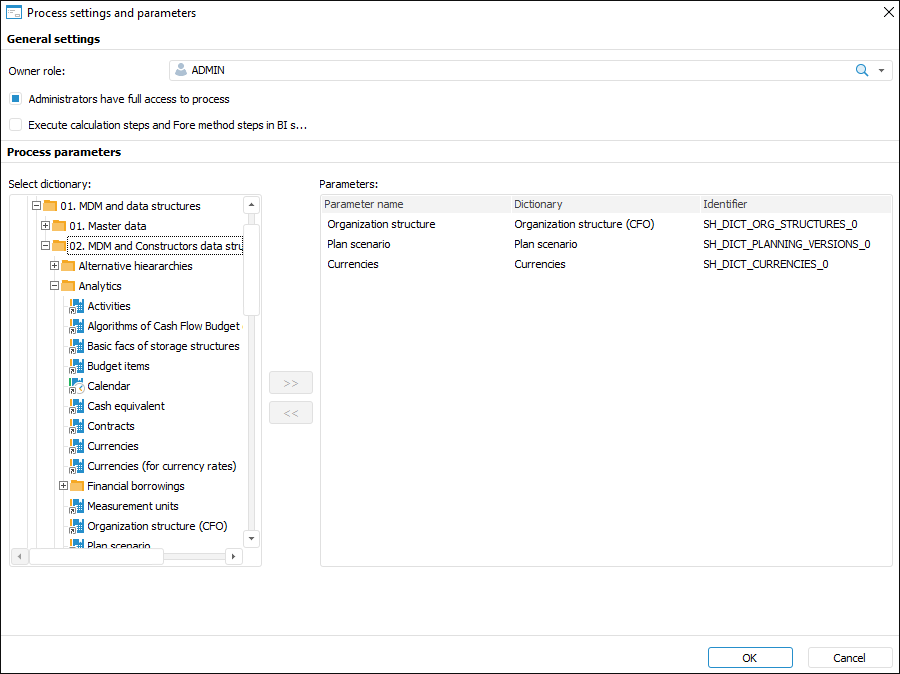
Basic process properties are set up on the Basic Properties page in the Process Settings and Parameters window:
Set the following parameters:
Owner Role. Select the manager in the drop-down list of security manager subjects of Foresight Analytics Platform. The manager is the owner of the whole process and can be user or group of users. By default the first subject in the list is selected.
To update the list of security manager subjects, tap the  button.
To search a subject in the security manager subjects, click the  button and enter a name part or the whole subject name in the search string. The subject list displays found objects. To clear the search string, click the
  button.
To create a list of subjects in the security manager, click the Security Manager button. After the operation is executed, the security manager opens.
Execute Calculation Steps and Fore Method Steps in BI Service. Select the checkbox to execute the  Calculation and
  Call Fore Method resourceintensive steps on BI server. The checkbox is deselected by default.
NOTE. BI server URL is created using the utility with the BP_UTIL identifier that is included into the Business Processes component.
Administrators Have the Full Access to Process. Deselect the checkbox to deny the whole process access to users from the administrators built-in group. When the checkbox is selected, users from administrators built-in group can start the process, finish or reject steps, even if they are not process and/or steps owners. The checkbox is selected by default.
Description. Enter the additional information about process if required.
After process basic steps are set up, select dictionaries as process parameters on the Manage Parameters page.
See also:
Setting Up Process Parameters | Managing Parameters | Setting Up Events