scrollToColumnAsToLast(colIndex: Number);
colIndex. Index of the column to which the table is scrolled.
The scrollToColumnAsToLast method scrolls a table to a specified column so that this column is the last visible in the table.
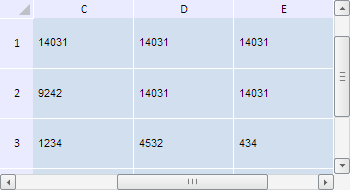
To execute the example, the HTML page must contain the TabSheet component named tabSheet (see Example of Creating the TabSheet Component). Scroll the table to the column with the index 4 and row with the index 3 so that these column and row are the last visible in the table:
// Scroll to the column with the index 4 so it is the last visible one
tabSheet.scrollToColumnAsToLast(4);
// Scroll to the row with the index 3 so it is the last visible one
tabSheet.scrollToRowAsToLast(3);
After executing the example the table has been scrolled to the column with the index 4 and row with the index 3 so that these column and row are the last visible in the table:
See also: