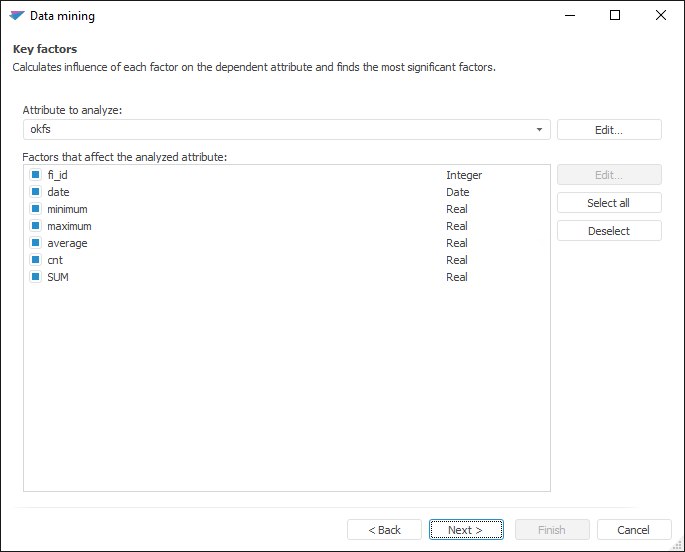
This type of analysis calculates a degree of influence of each factor on the dependent attribute and detects the most significant factors.
The method operates only on categorical values, that is, non-numeric data: text or True/False values. The numeric input data is transformed into categorical data by means of the Binning procedure.
To work with the Key Factors analysis:
NOTE. For method calculation, selected data must contain at least one attribute and one observation, excluding titles. If data source is:
- Regular report. Title is the first row in the selected range.
- Workbook. Titles are series names.
- Express report, dashboard, data table. Titles are column headers.
Set up analysis parameters:
The following operations are available in the dialog box:
 Set factors that affect the analyzed attribute
Click the Next button to go to the next page of the wizard.
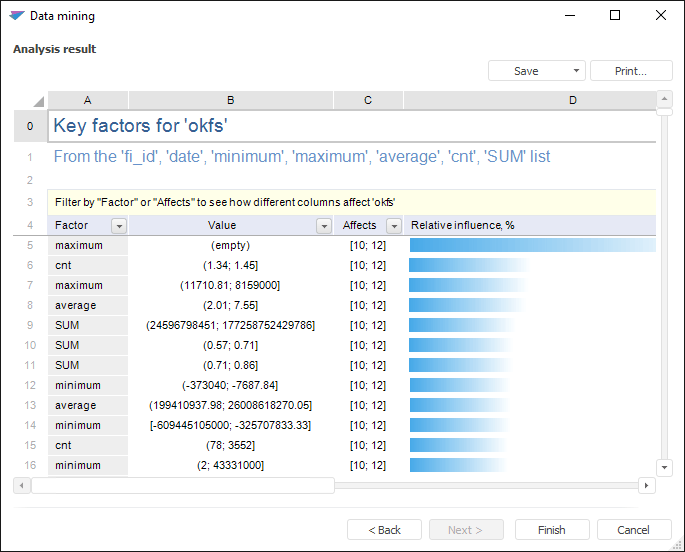
Execute required operations with analysis results.
The analysis results can be saved to a file, printed or inserted on the regular report sheet. For details see the Working with Analysis Results section.
Example of the Key Factors analysis results:
If warnings occurred during the analysis, the Warnings additional tab is displayed.
See also:
Selecting Analysis Type | Naive Bayes Classifier | ISmNaiveBayes
