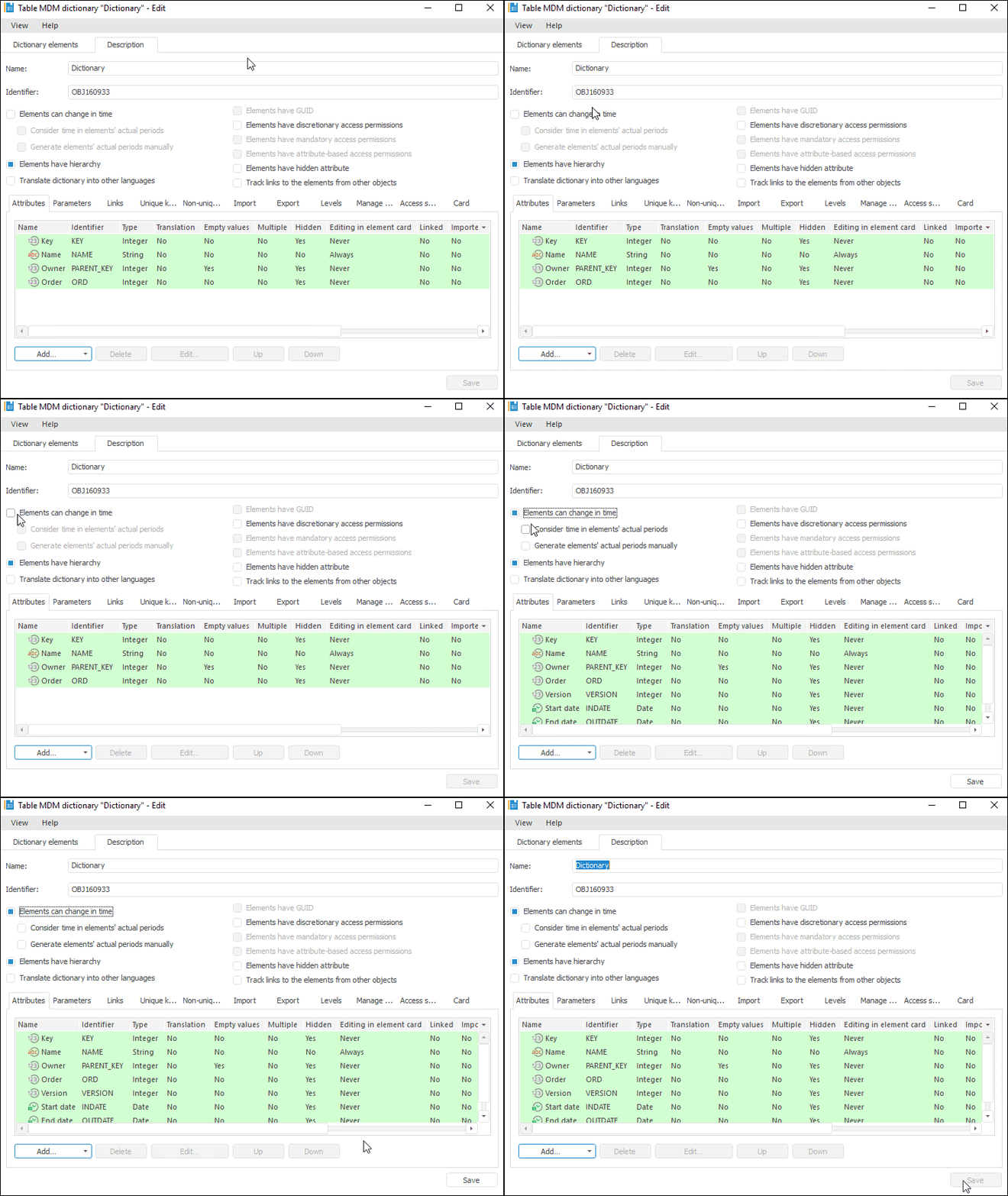
Dictionary structure setup is available only in the desktop application on opening a dictionary for edit on the Description tab.
To set up dictionary structure, follows the steps:
Determine basic dictionary settings.
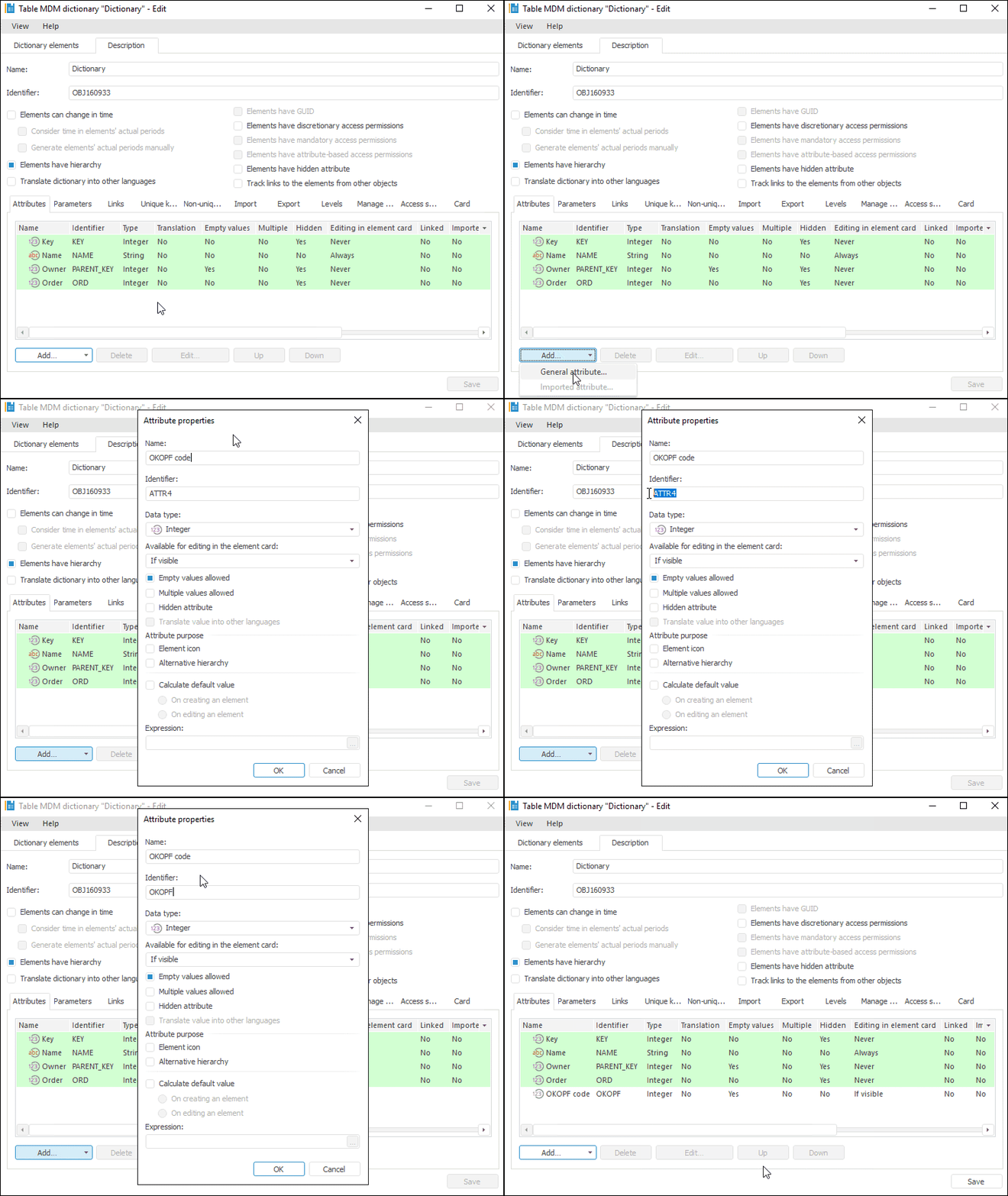
Add parameters, if required.
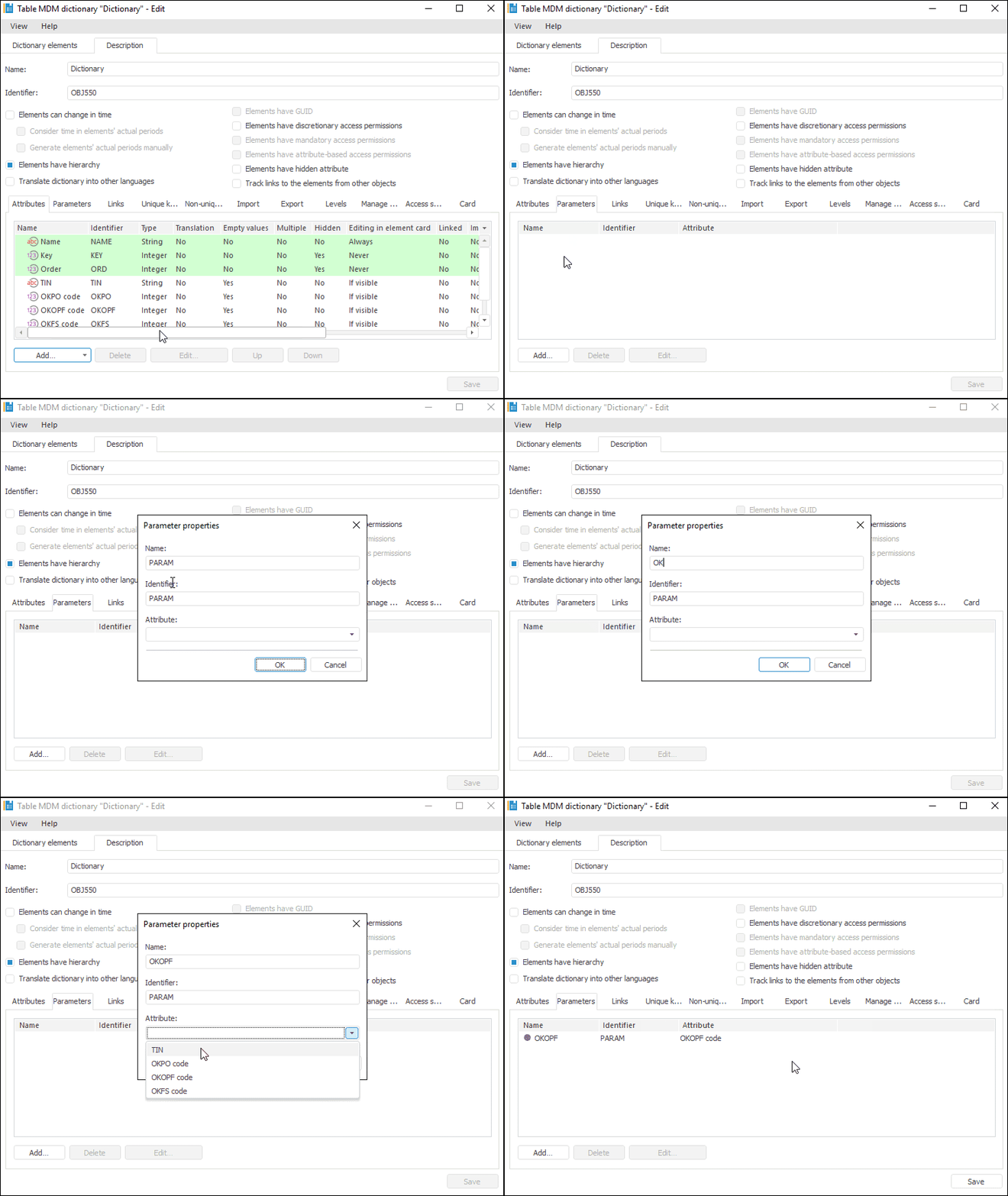
Create links, if required.
Add keys, if required.
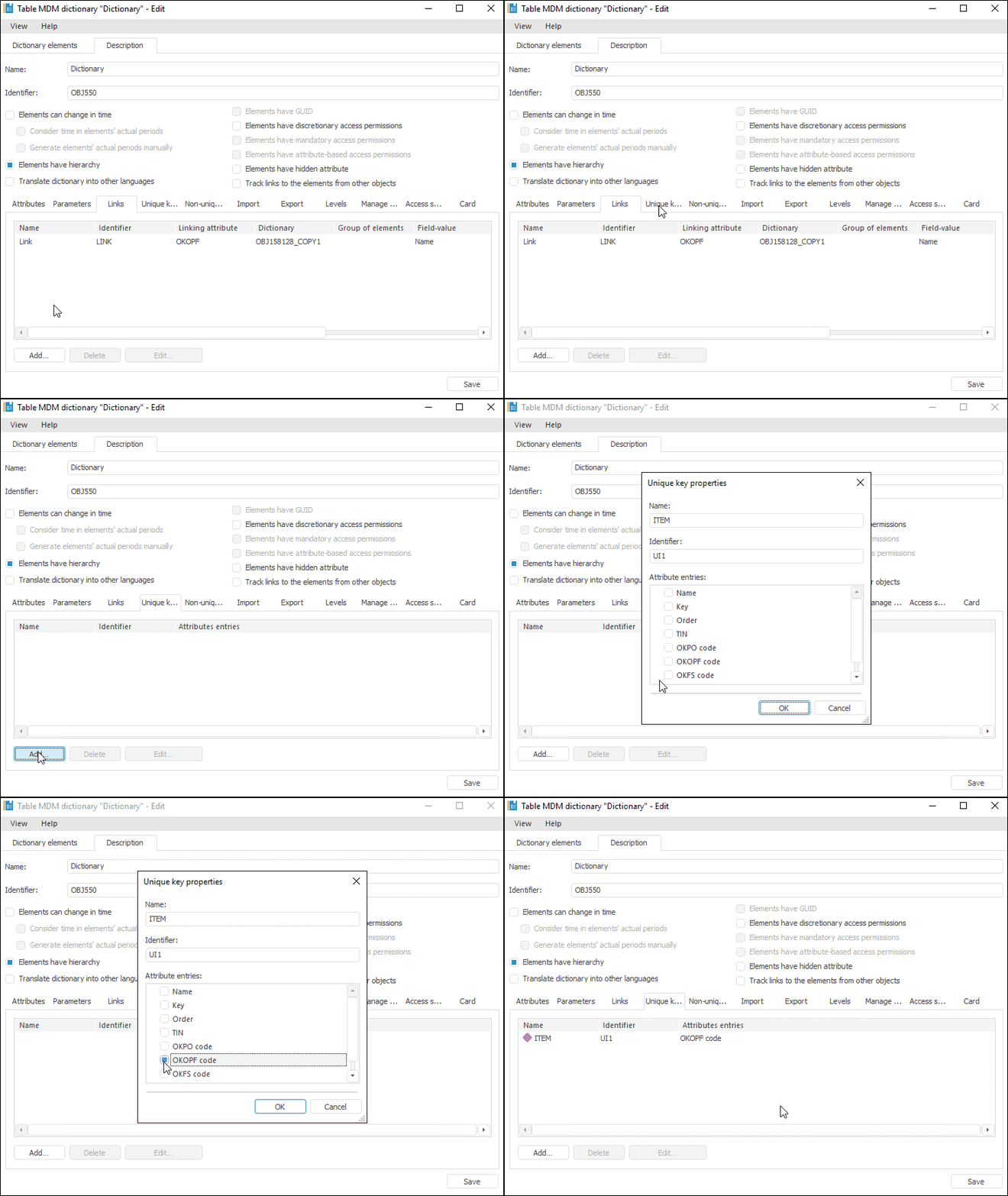
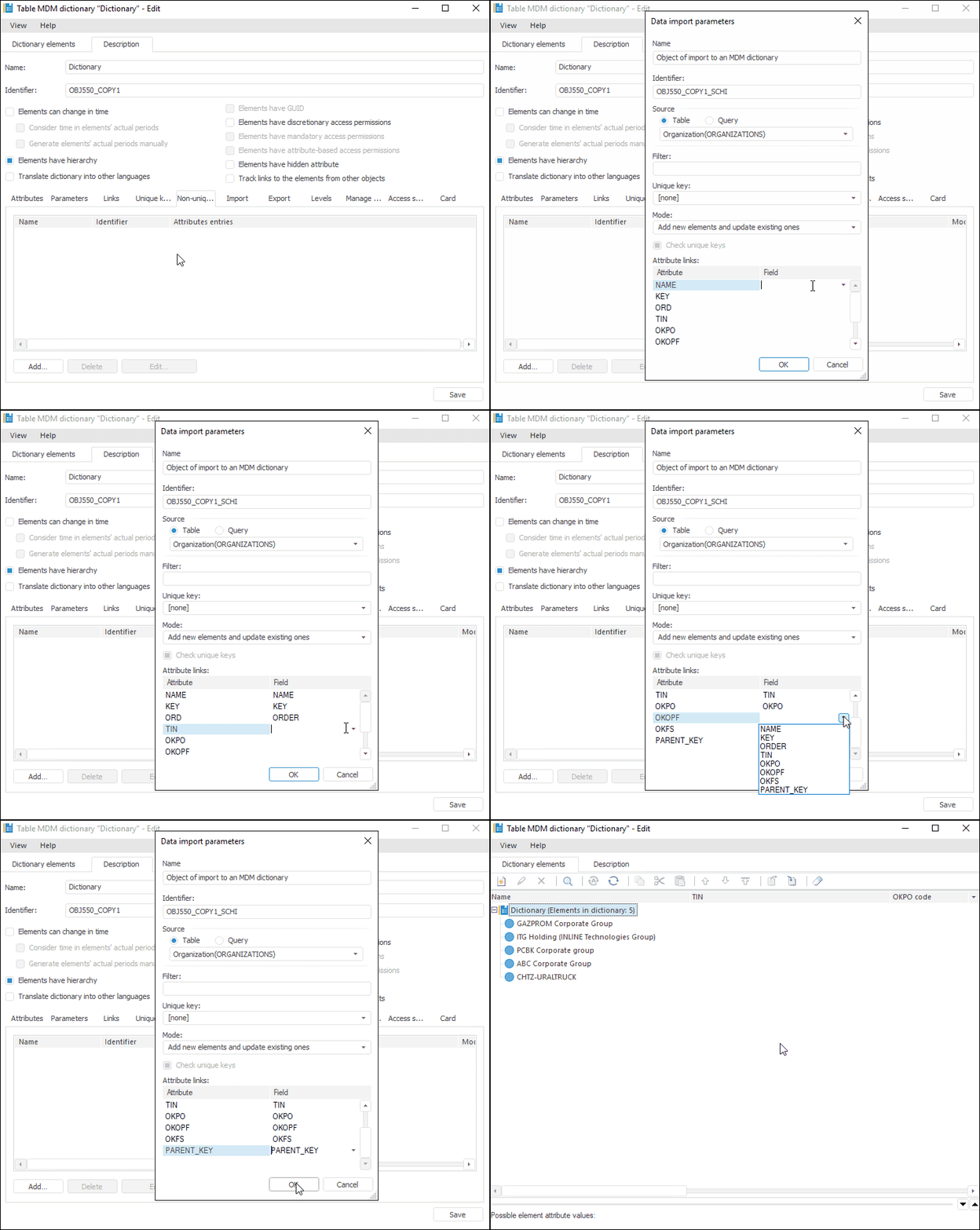
Create import and export schemes, if required.
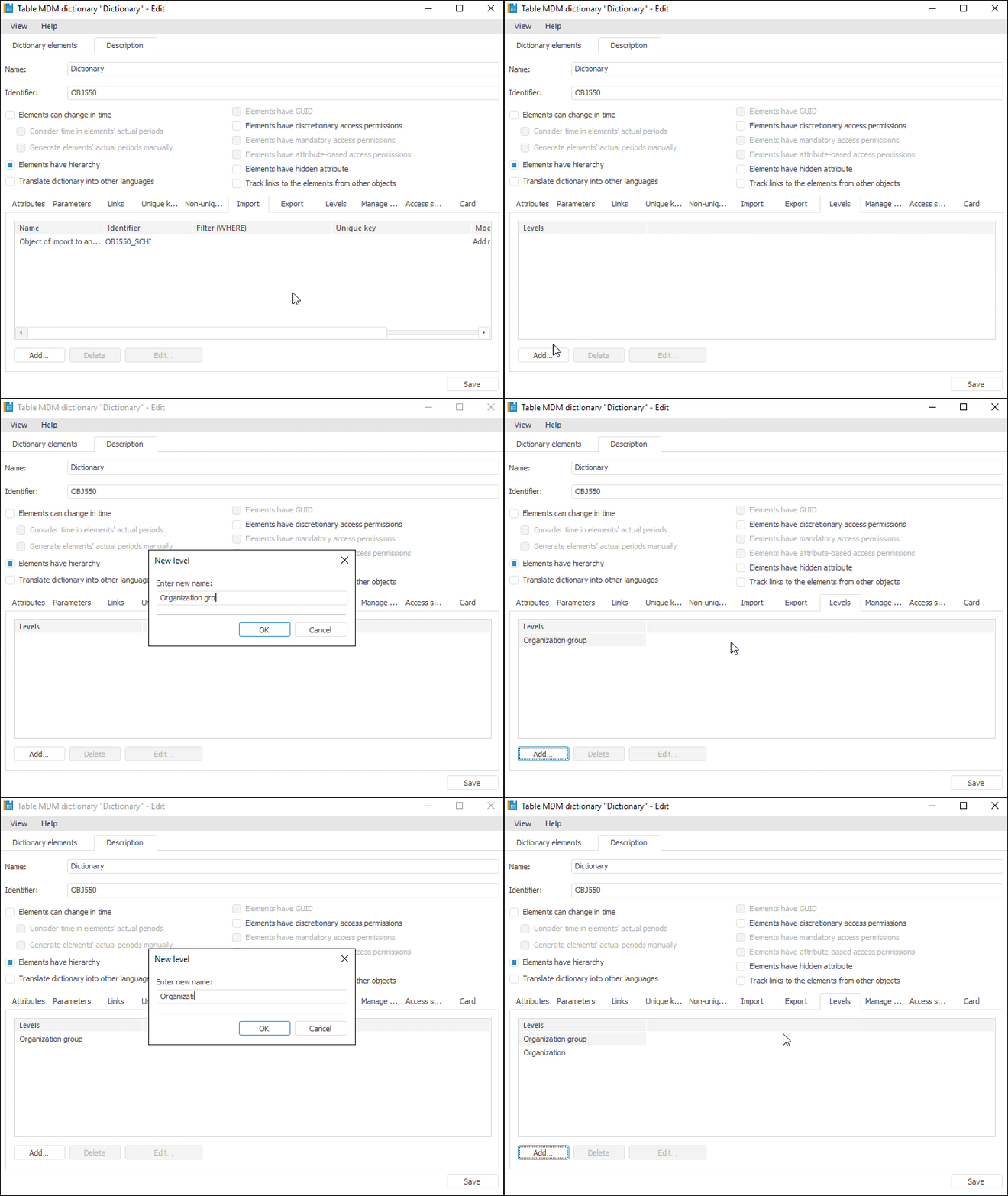
Create levels, if required.
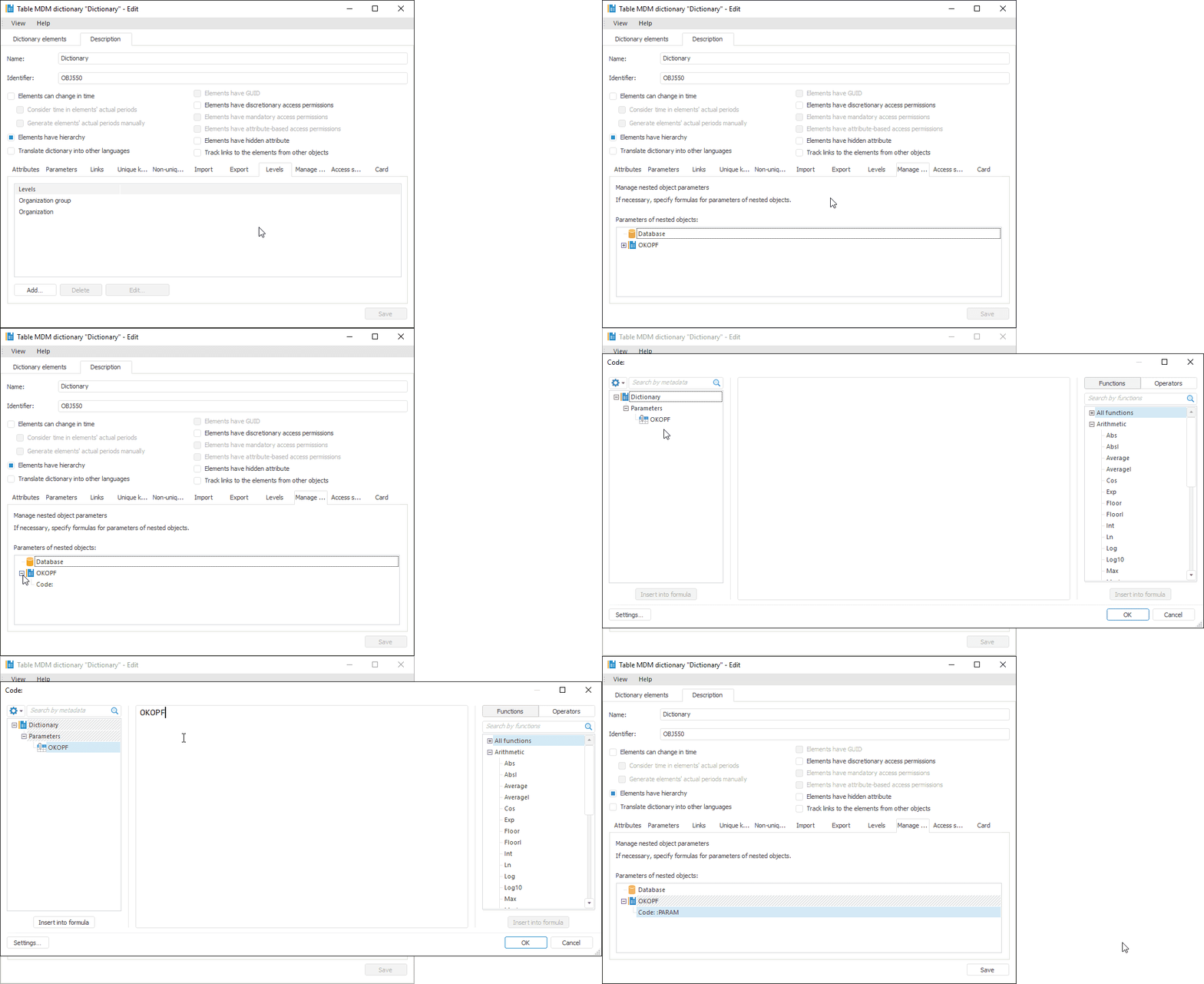
Manage nested elements parameters, if required.
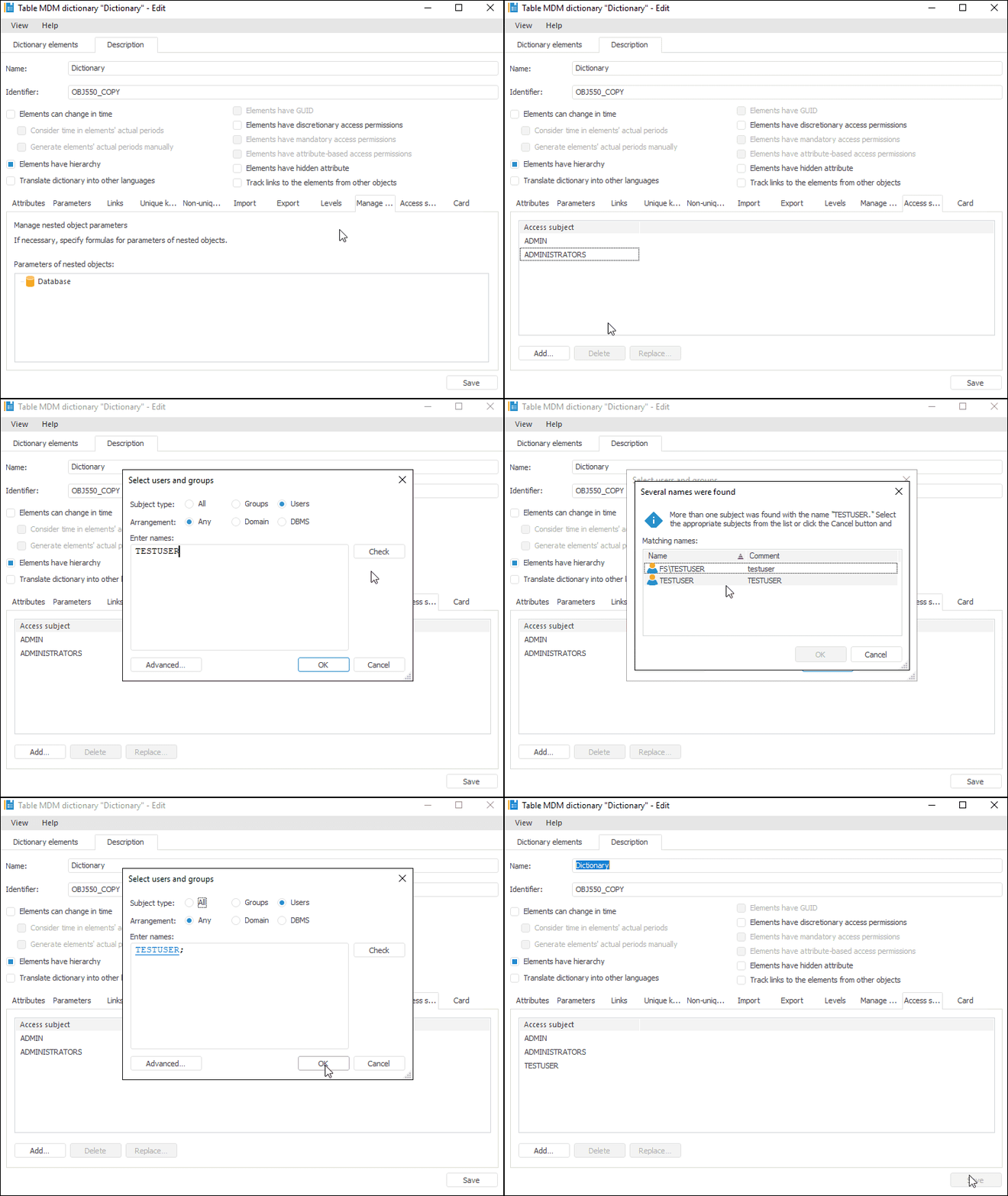
Manage access subjects, if required.
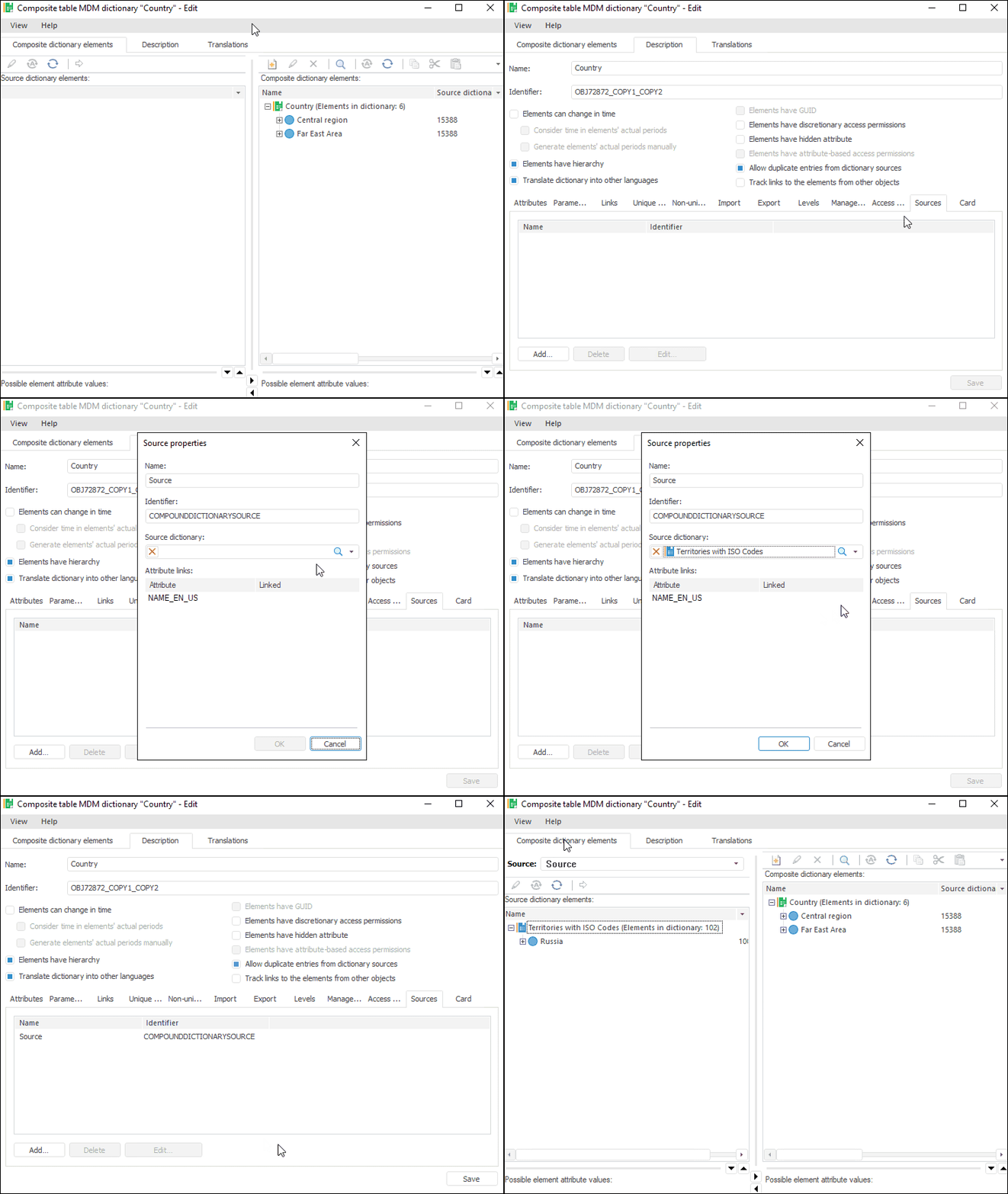
Select data sources for a composite table dictionary.
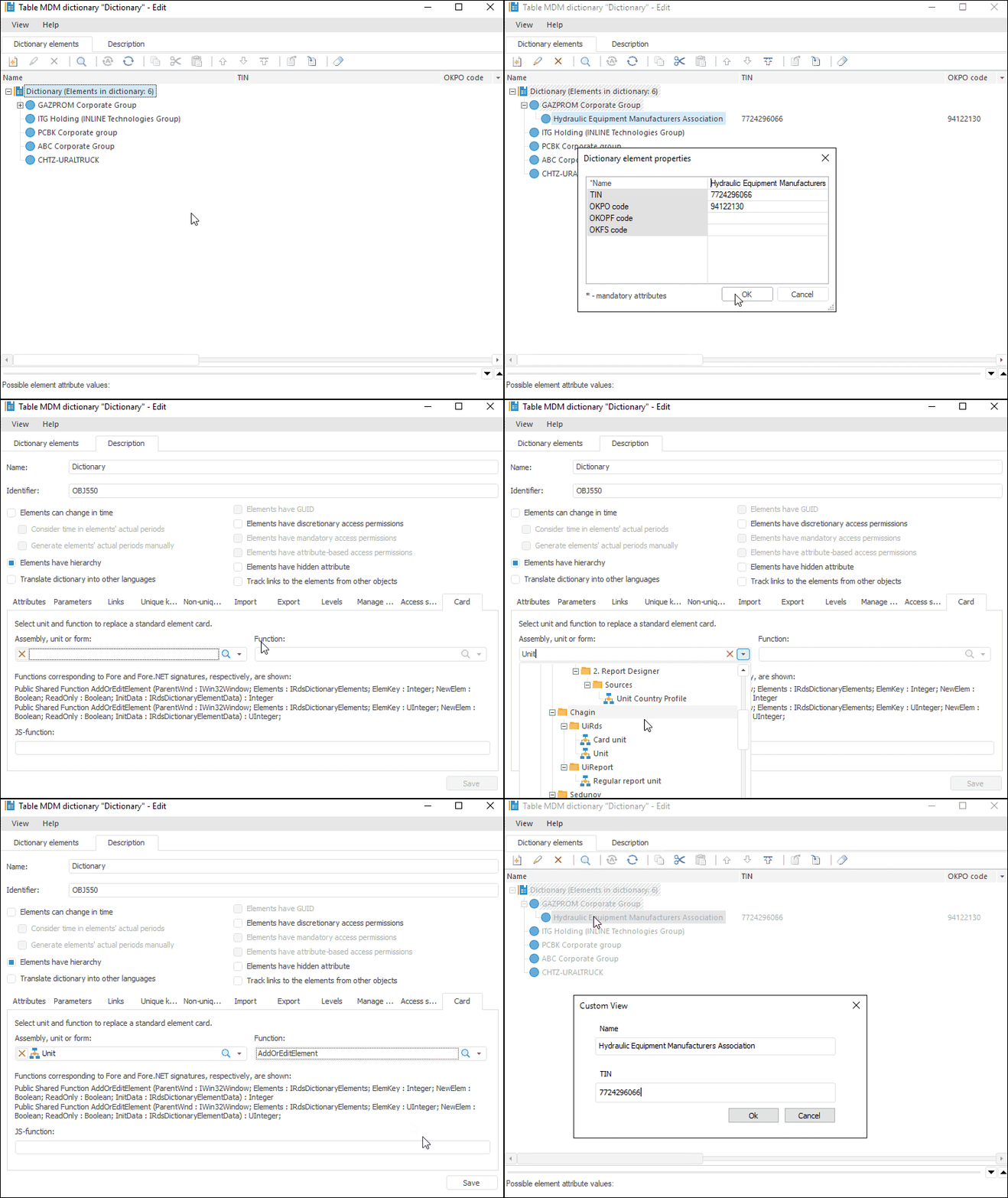
Replace the predefined dialog box view, if required.
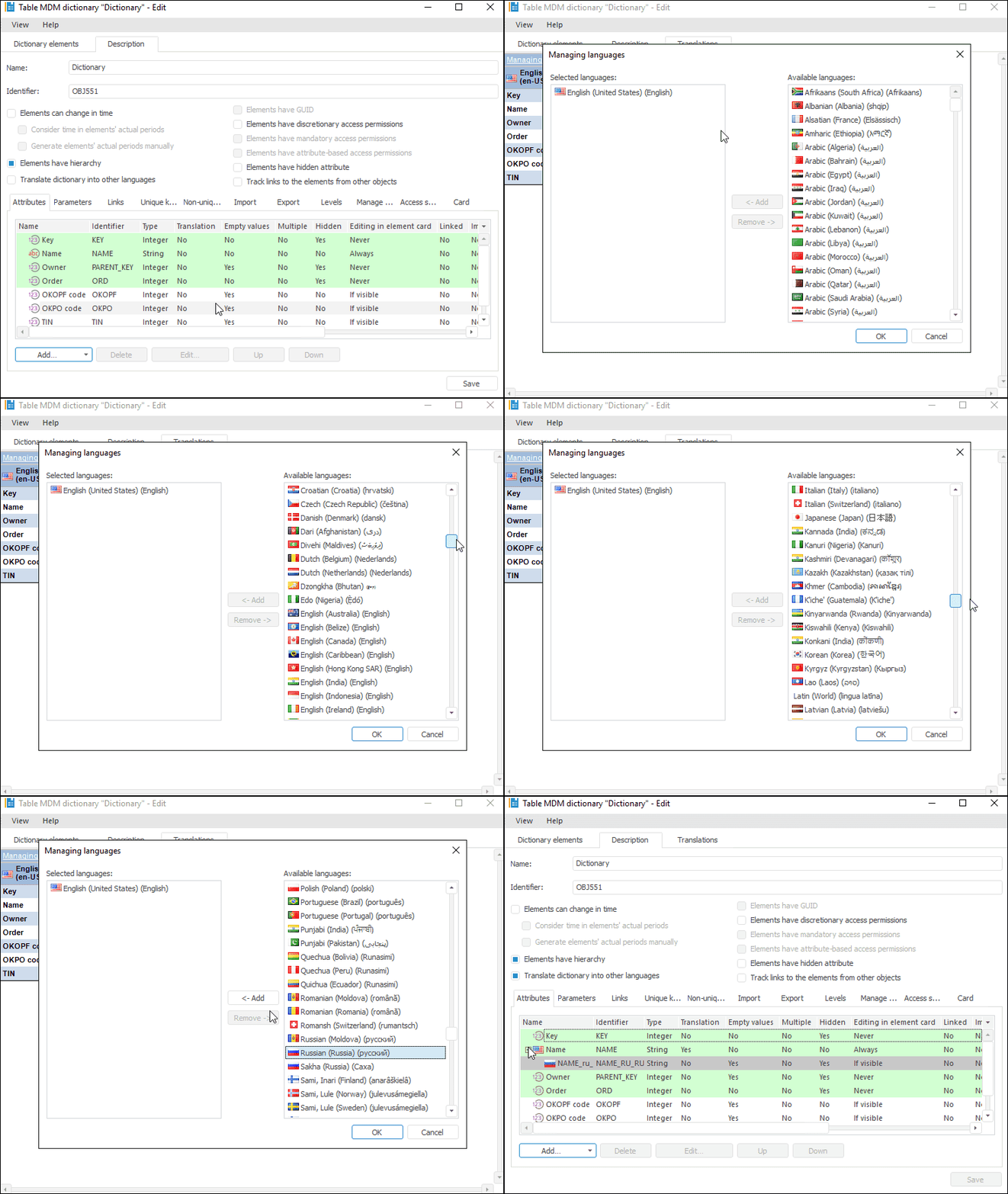
Translate dictionary into other languages, if required.
For details about setting up multilingual options of repository contents and system in general, see the Setting Up Multilingual Options section.
See also:
Working with MDM Dictionaries | Working with Dictionary Elements | Navigator Section of the Security Manager | Administrator and User Permissions