
 Open the security manager in the desktop application
To get started with the tool, open the security manager in the desktop or the web application.
Open the security manager in the desktop application
Open the security manager in the web application
The security manager allows for connecting and simultaneous work in multiple repositories.
To set up system security policy, see the Setting Up System Security Policy article.
To track system security violations, see the Tracking System Security Violations article.
To control product and repository metadata integrity, see the Controlling Foresight Analytics Platform and Metadata Integrity article.
The main window of the Security Manager tool differs in the desktop and web applications:
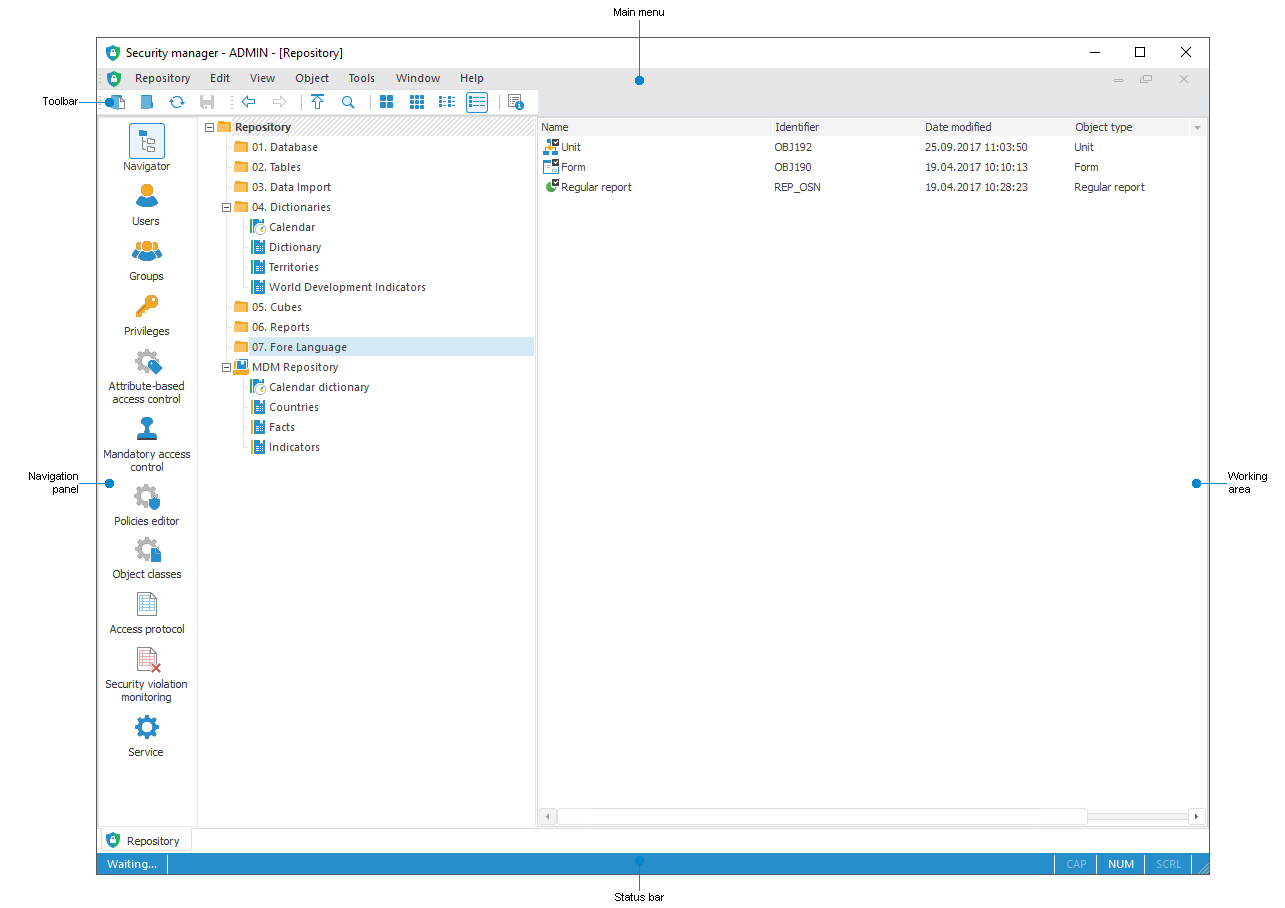
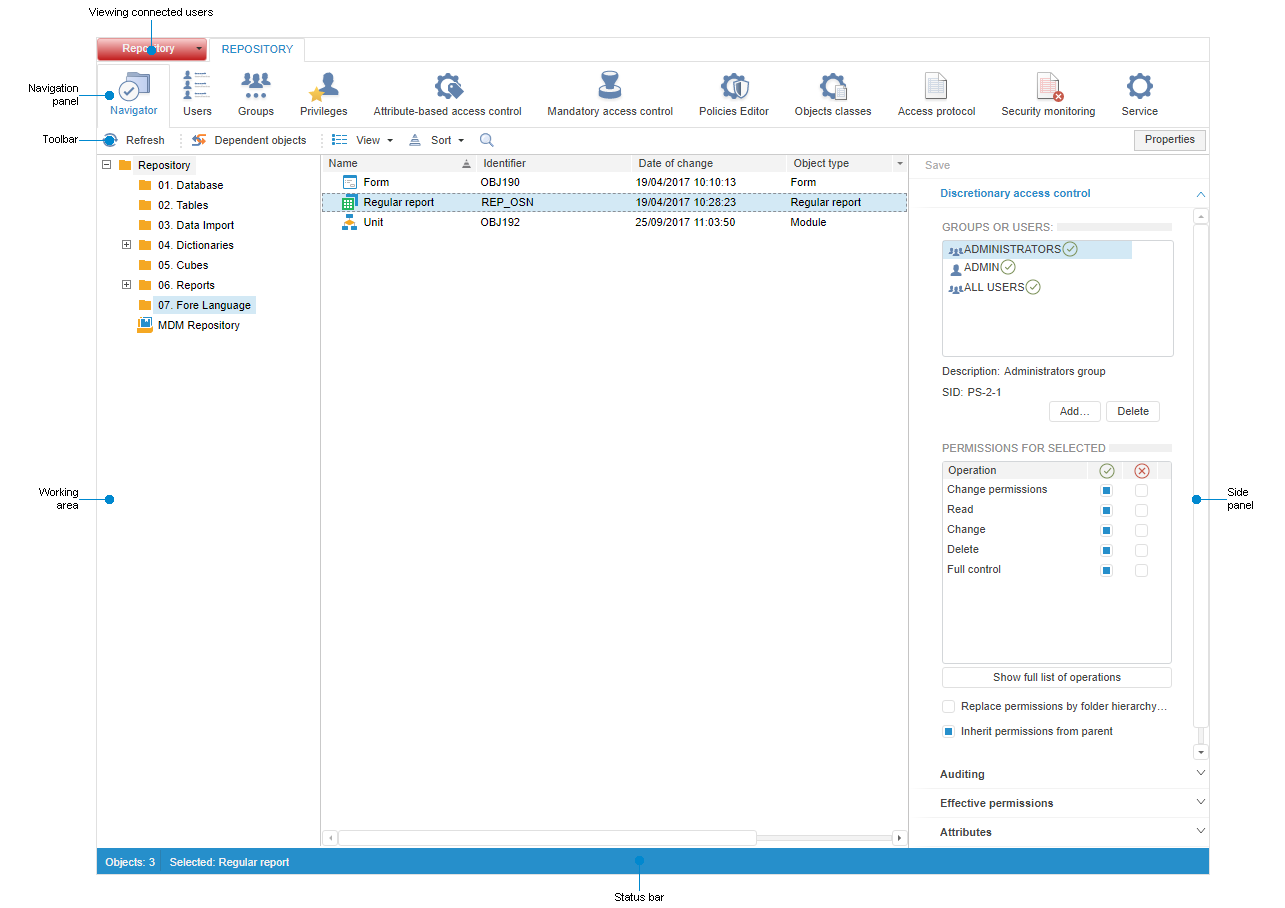
NOTE. The default section that is displayed when the security manager is opened is Navigator.
Security manager window elements
Security manager functions in the desktop and web applications
See also:
Setting Up System Security Policy | Tracking System Security Violations | Controlling Foresight Analytics Platform and Metadata Integrity


 Connect Repository button on the toolbar.
 Disconnect Repository button on the toolbar.