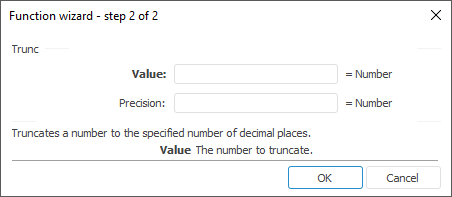
The function wizard for the Trunc function looks as follows:
Trunc(Value[, Precision])
Value. The number to truncate.
Precision. Number of decimal position determining truncate accuracy. Positive values truncate fractional part, negative values truncate integer part, zero truncates a value to integer. The default value is 0.
NOTE. To determine the parameter, specify either the number or the address of the cell where it is located.
Truncates a number to the specified number of decimal places.
| Formula | Result | Description |
| =Trunc(21.525,1) | 21,5 | It truncates the number 21.525 to an integer with the precision of one tenth. |
| =Trunc(21.525,-1) | 20 | It truncates the integral part of the number 21.525. |
| =Trunc(B6) | -4 | It truncates the number in B6 cell to an integer. The B6 cell contains the number -4.6. |
See also:
Function Wizard │ Mathematical │ Ceiling │ Even │ Floor │ Int │ MRound │ Odd │ Round │ RoundDown │ RoundUp │ IMath.Trunc