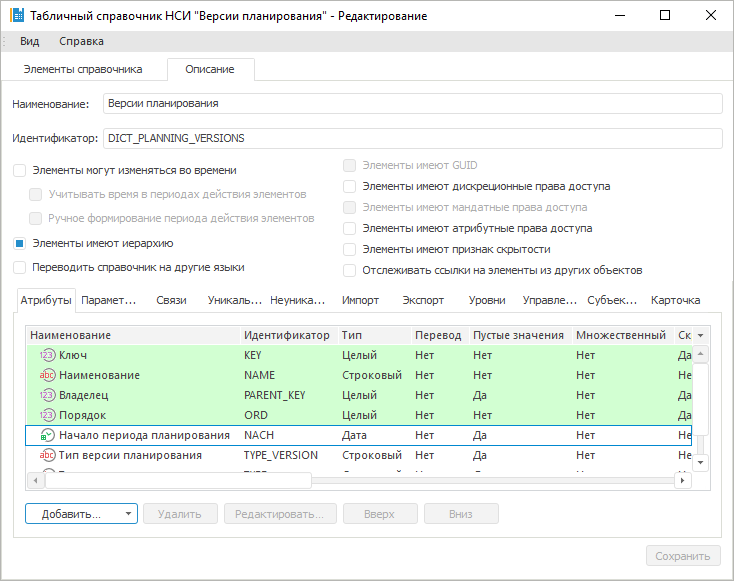
To manage sidehead dimension parameters:
Set up MDM dictionary that is used as data entry form parameter.
Add an attribute that will be manage sidehead dimension parameter:
Fill the dictionary with values:
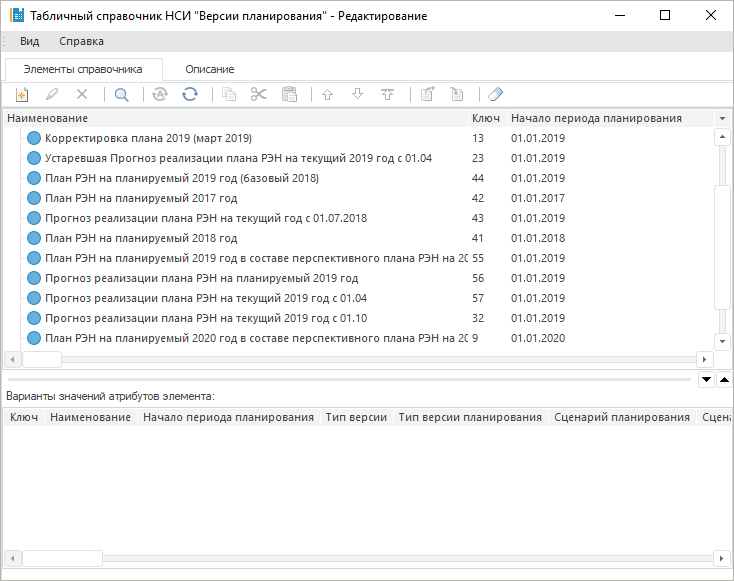
For various elements there are different values of the Forecasting Period Start attribute.
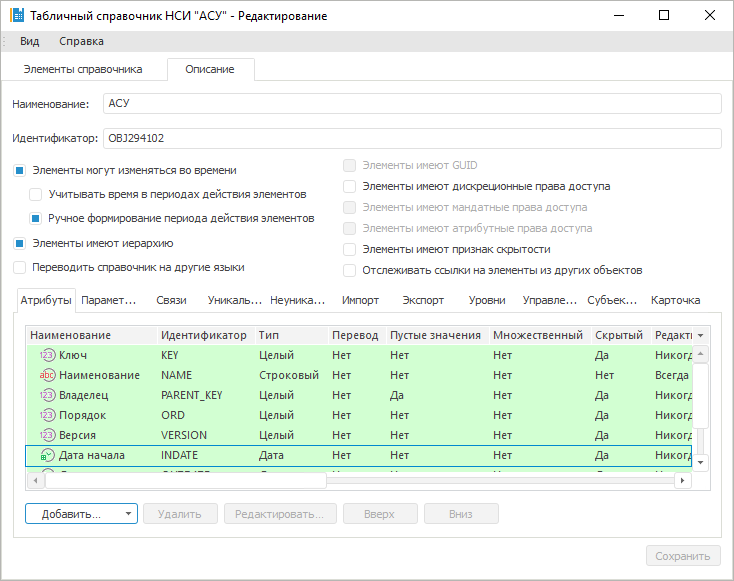
Set up dictionary that is used as a sidehead dimension.
Add an attribute of dictionary. In the example the Actuality Date parameter is added:
Fill the dictionary with values:
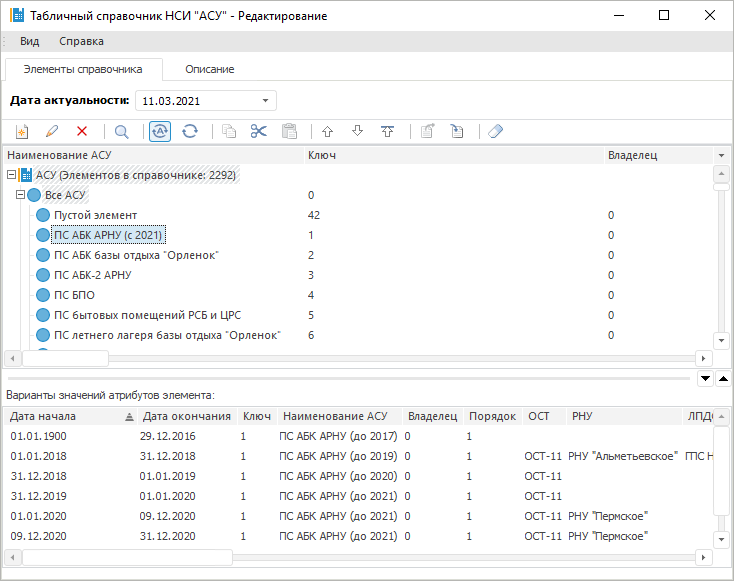
For the PS ABK ARNU element different dictionary attributes values are specified for different dates: Name, OST, RNU and others.
Add a parameter to the data entry form. Set dictionary configured in the step 1:
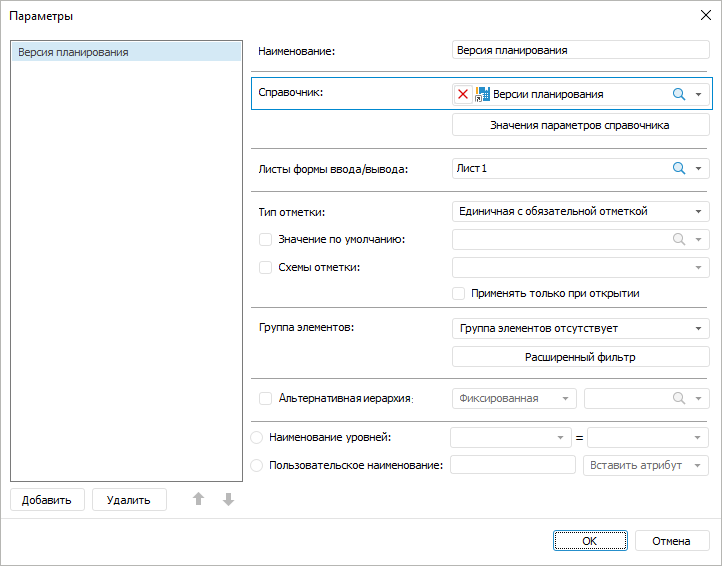
Add a table area to the data entry form.
Add a dictionary configured in the step 2 as a sidehead dimension:
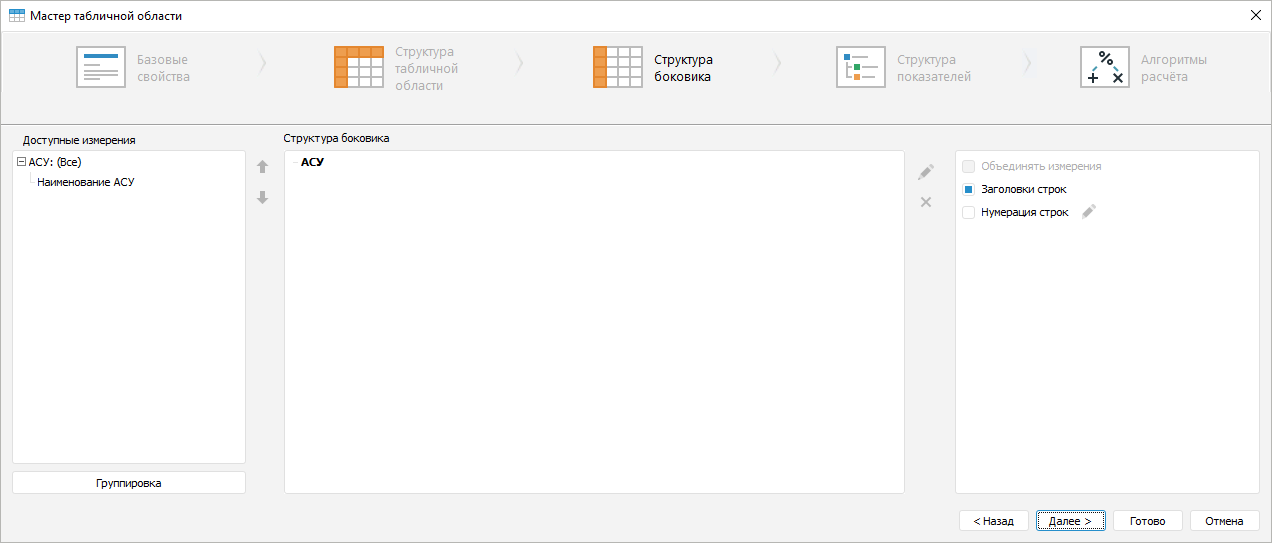
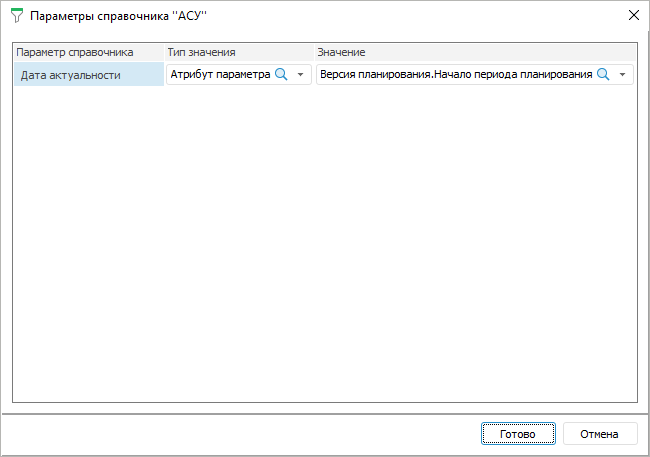
Select the Parameters Values dimension context menu item and specify:
value type - Parameter attribute.
value - the Forecasting Period Start attribute of the Planning Version parameter:
Enter other sidehead dimension attributes to the heading:
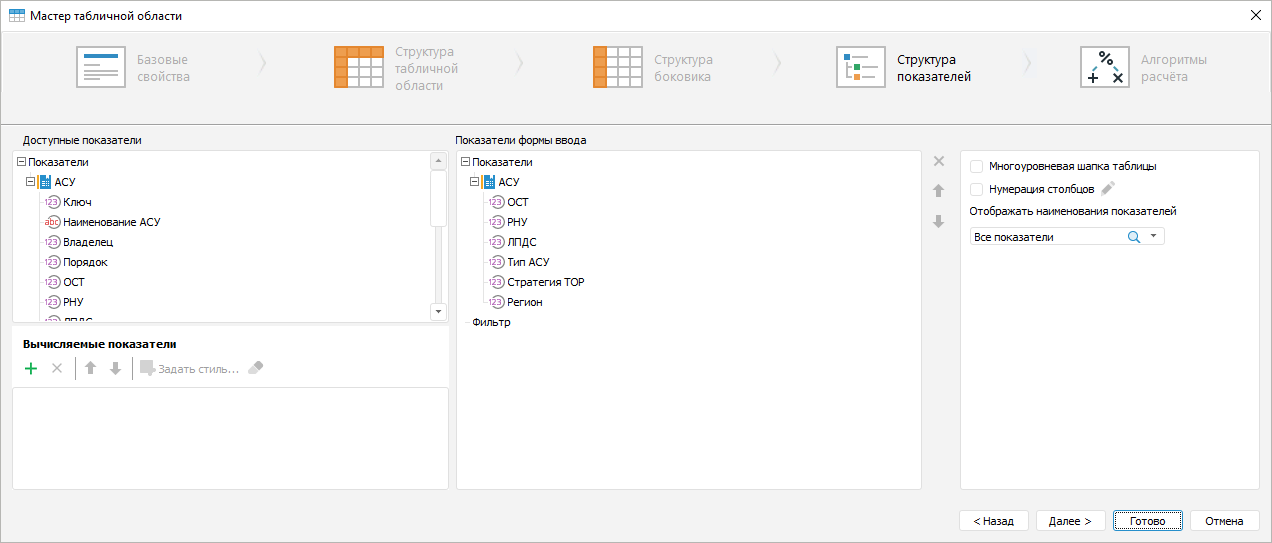
Finish table area setting.
As a result, name, OST, RNU and other sidehead element attributes will be changed in the data entry form.
See also:
Questions and Answers | Setting Up Sidehead Structure