On using BI search in Foresight Analytics Platform in some cases may cause various problems. Below are the most common cases and causes of their occurrence and solutions:
On indexing sources in scheduled tasks container there are errors with the following text: "Creating Search Query Documents Completed with Error", "Deleting Documents Completed with Error".
Cause
Solr instance is unavailable or Solr settings do not correspond to the settings specified in repository.
Solution
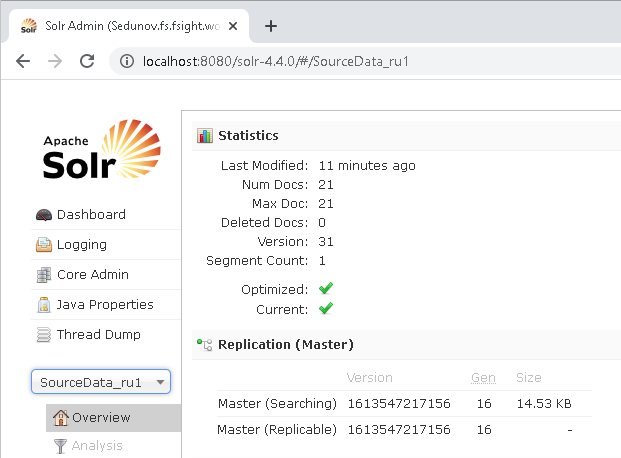
Check whether paths to Solr instance are generated correctly that are specified in repository. Correct path to Solr instance can be obtained in browser string on working in Apache Solr administration console:
After selecting the required Solr instance, copy created URL, for example: http://localhost:8080/solr-4.4.0/#/SourceData_ru1. Delete #/ in the URL. The http://localhost:8080/solr-4.4.0/SourceData_ru1 obtained string is the correct URL of the Solr instance that must be specified in repository.
If it is supposed to use fields to store indexed information, then it is required to check settings correspondence in Solr and in repository. Firstly, fields are generated in Solr. After that settings must be loaded to repository.
On using BI search there are errors with the following contents: "Search service is unavailable, ask network administrator", "None search core is found".
Cause
There is no physical connection with server or sources are not indexed.
Solution
Check whether Apache Tomcat server and Solr instances that are specified in repository are available.
If on BI search the data to be indexed is not found, then check settings of search index update task. Language must be specified, otherwise Solr cannot generate and save files with indexed data.