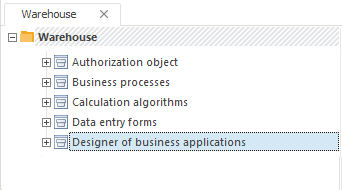
In later versions of Foresight Analytics Platform extensions and their functionality can be changed. To use new features and enable correct application work in later platform versions, update extensions.
To update extensions in the desktop application, use component interface.
To update extensions in the web application, use the update manager. The procedure of update installation in the web application is described in the Installing Update section.
To update extensions in the desktop application, use interface of the component, which implements this extension. To do this, execute the following operations:
Connect to the repository where the update should be installed.
Select the required component in the repository tree:
Open the component for edit:
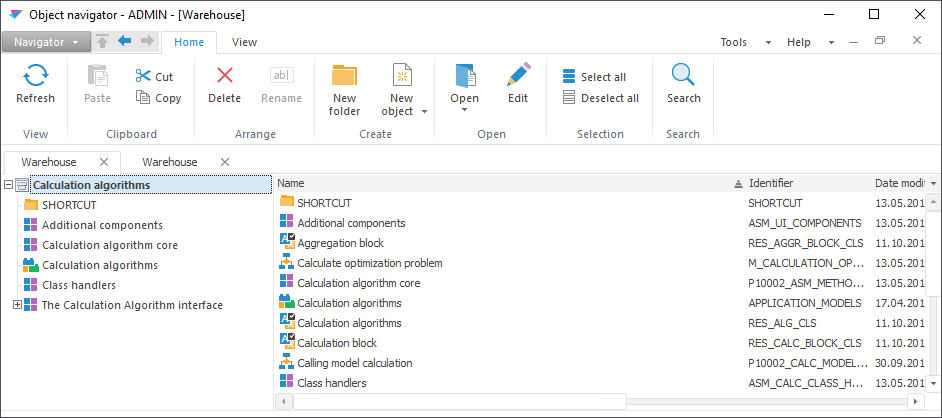
Click the  Install Update button on the Actions ribbon tab.
In the opened dialog box select the extension file corresponding to the component under update. The list of files in use is presented in the Installing Extensions to Repository article. After selecting the file, the form containing information about update is selected:
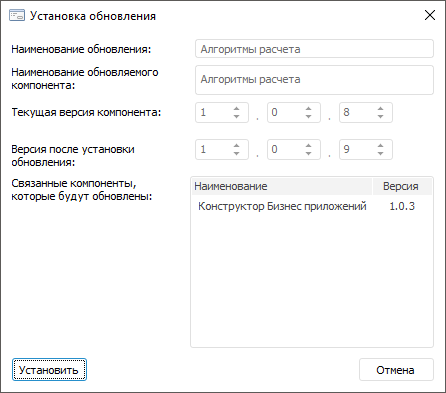
On opening the file, its contents is verified. If the file contains the required component and the component version is later than the version in repository, it will be possible to install the update. Click the Install button.
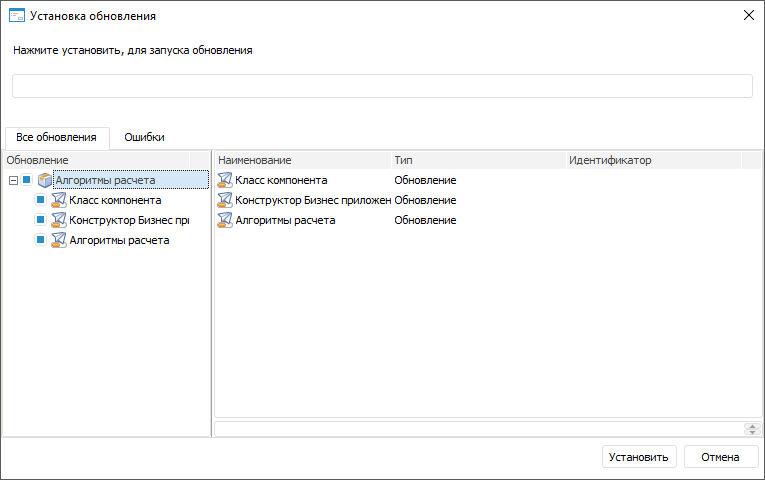
By default the selected component and all connected components. If required, change the list of installed components by deselecting or selecting the corresponding checkboxes. Click the Install button to start updating and wait for the process end. The information about possible errors will be displayed on the Errors tab after update finishes.
If installing extension update via component interface failed with errors, install the update via the repository manager. In this case the update is installed identically to installing updates in repository.
See also:
Installing Foresight Analytics Platform Extensions