ActiveItem: PP.Ui.TreeItem
The ActiveItem property determines active element of chart data model.
Use JSON or the setActiveItem method to set the property value, and the getActiveItem method to get the property value.
To execute the example the HTML page must contain the BubbleTree component named «bubbleTree» (see «The BubbleTree component creation example» ). Get data model, process the ActiveItemChanged event, set a new active element, refresh elements' indexes, and change color of the root element:
// Get data model
var model = bubbleTree.getModel()
// Process the ActiveItemChanged event
model.ActiveItemChanged.add(function (sender, args, timeout) {
    console.log("The ActiveItemChanged event is initiated")
});
// Get the element by ID
var item = model.getItem("EU");
// Set a new active element
model.setActiveItem(item);
// Refresh elements' indexes
model.buildIndex();
// Get a new chart root element
var rootItem = model.getRootItem();
// Get paintbrush to fill an element
var brush = rootItem.getColor();
// Change the fill color
brush.setColor("#FF0000");
// Set a new paintbrush
rootItem.setColor(brush);
// Refresh colors
rootItem.updateColors();
// Set a new root component
model.setRootItem(rootItem);
// Refresh a chart
bubbleTree.refresh();
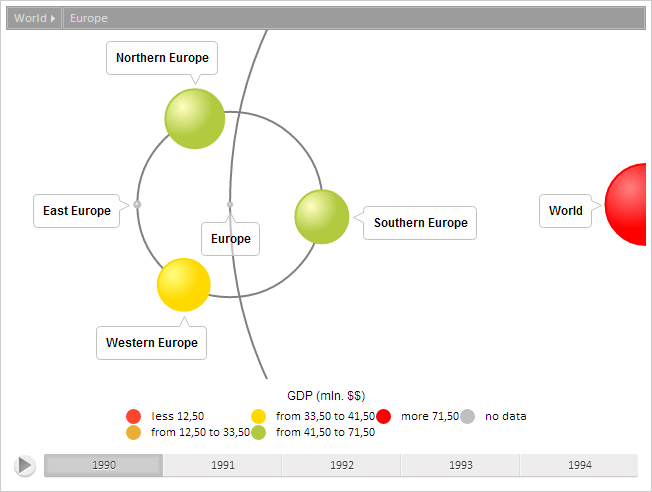
As the result new active element is set and color of the root element is changed:
The browser console shows a message that the processed event was invoked:
ActiveItemChanged event initialized
Replace the currently active item with its parent:
// Make active parent element of the current active element
model.goToParent();
// Refresh chart
bubbleTree.refresh();
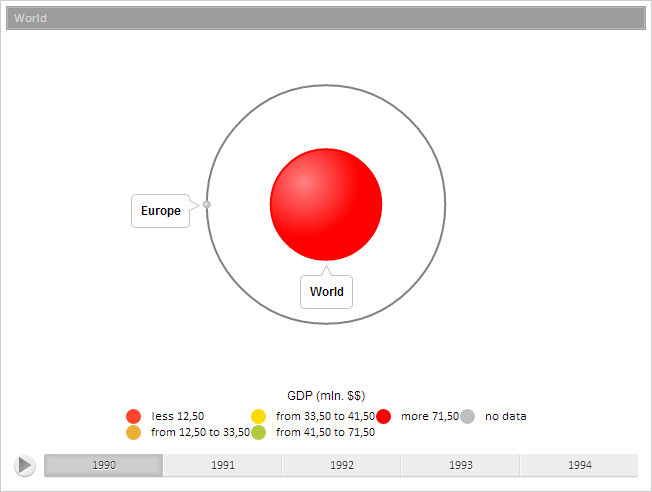
As the result, the active item is changed:
See also: