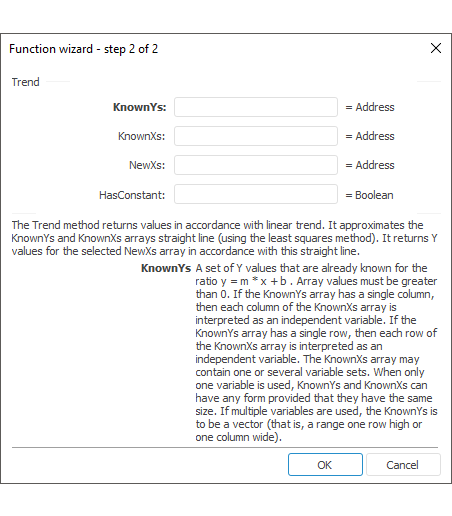
The function wizard for the Trend function looks as follows:
Trend(KnownYs, KnownXs, NewXs, HasConstant)
KnownYs. The range of the Y values that are already known in the ratio y = m*x+b. Values in data array must be greater than zero
KnownXs. The range of the X values that are already known in the ratio y = m*x+b;
NewXs. New X values for which the Trend method returns corresponding Y values. Like KnownXs, NewXs must have a column or a row for each independent variable.
HasConstant. Boolean value that indicates whether the constant b must be equal to zero:
True. The b constant is calculated in a standard way.
False. The b constant is considered to be equal to 0 and the m values are adjusted so that y = m*x.
The method returns values along a linear trend.
The method approximates the KnownYs array and the KnownXs array using a straight line (the least-squares method). Returns the values of Y along this line for the specified array of NewXs.
If there is only one column in the KnownYs array, each column of the KnownXs array is regarded as a separate variable. If there is only one row in the KnownYs array, each row of the KnownXs array is regarded as a separate variable. The KnownXs array can contain one or more variable sets. If only one variable is used, KnownYs and KnownXs can have any form, provided that they have the same dimension. If several variables are used, KnownYs must be a vector (that is, an interval with a row height or a column width). Thus, ifKnownYs is represented by one column, KnownXs and NewXs must have the same number of columns. If KnownYs is represented by one row, KnownXs and NewXs must have the same number of rows.
See also: