Operating system requirements: iOS 5.0 or later.
Mobile device: iPad.
This example describes some methods of working with a table delegate. After starting the example the following operations are executed:
A table delegate is retrieved.
A controller of the view related with delegate is retrieved.
A new value of specified column width is set.
A new value of specified row height is set.
A tooltip displayed for table delegate is hidden.
A table proxy data source is retrieved.
It is determined whether table sparklines are displayed for proxy data source.
Executing the example requires to place the following code in the body of the executeExample method of the ViewController class (see the Displaying of Express Report section):
// Get array of data view controllers
NSArray *controllers =[m_controller dataViewControllers];
// Parse data view controllers in cycle
for(NSObject *controller in controllers)
{
    // Check if the current controller is a table data view controller
    if([controller isMemberOfClass:[MAGridDataViewController class]])
    {
        // Get table data view controller object
        MAGridDataViewController *gridController = (MAGridDataViewController *)controller;
        // Get controller view
        UIView *view = [gridController view];
        // Get array of subviews
        NSArray *subviews = [view subviews];
        // Parse subviews in cycle
        for(NSObject *subview in subviews)
        {
            // Check if the current view is a table view
            if([subview isMemberOfClass:[NuGridView class]])
            {
                // Get table view object
                NuGridView *gView = (NuGridView *)subview;
                // Get table delegate object
                MAGridDelegate *gridDelegate = (MAGridDelegate *)[gView gridDelegate];
                // Get controller of view related with delegate
                MAGridDataViewController *controllerFromDelegate = [gridDelegate dataViewController];
                // Get express report view delegate
                MAExpressAnalysisReportViewController *reportDelegate = (MAExpressAnalysisReportViewController *)[controllerFromDelegate delegate];
                // Get express report settings controller object
                BaseSettingsViewController *reportSettings = (BaseSettingsViewController *)[reportDelegate reportSettingsController];
                // Display express report settings view
                [reportDelegate dataViewController:controllerFromDelegate showSettingsController:reportSettings fromView:gView];
                // Change column width in table
                [gridDelegate widthChangeNeeded:150 forColumnWithKey:0];
                // Change row height in table
                [gridDelegate heightChangeNeeded:300 forRowWithKey:1];
                // Refresh table view
                [gView setNeedsLayout];
                // Call after pause the method that continues example execution
                [self performSelector: @selector(continueExample:) withObject:gridDelegate afterDelay:5];
            }
        }
    }
}
It is also required to add the following method with its implementation in the ViewController class:
// Continues example execution
- (void) continueExample:(MAGridDelegate *)gridDelegate {
    // Hide a tooltip displayed for table delegate
    if ([gridDelegate respondsToSelector:@selector(hidePopover)]) {
        [gridDelegate hidePopover];
    }
    if ([gridDelegate respondsToSelector:@selector(proxyDataSource)]) {
        // Get table proxy data source
        MAGridProxyDataSource *proxyDatasource =[gridDelegate proxyDataSource];
        // Determine whether table sparklines are displayed
        [proxyDatasource setSparklinesOn:YES];
    }
    if ([gridDelegate respondsToSelector:@selector(dataViewController)]) {
        // Refresh table view
        [[[gridDelegate dataViewController] view] setNeedsLayout];
    }
}
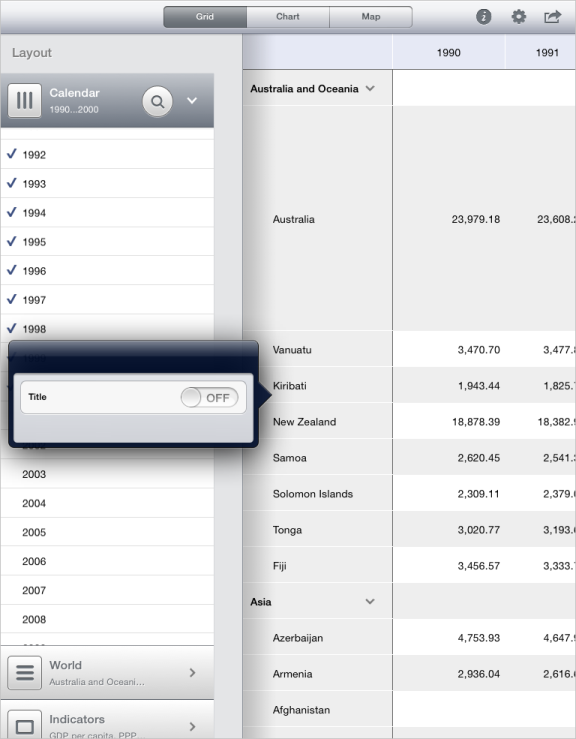
After executing the example the mobile device screen displays the express report containing the table, for which express report settings popup window is displayed, and also height and width of the specified rows and columns are changed:
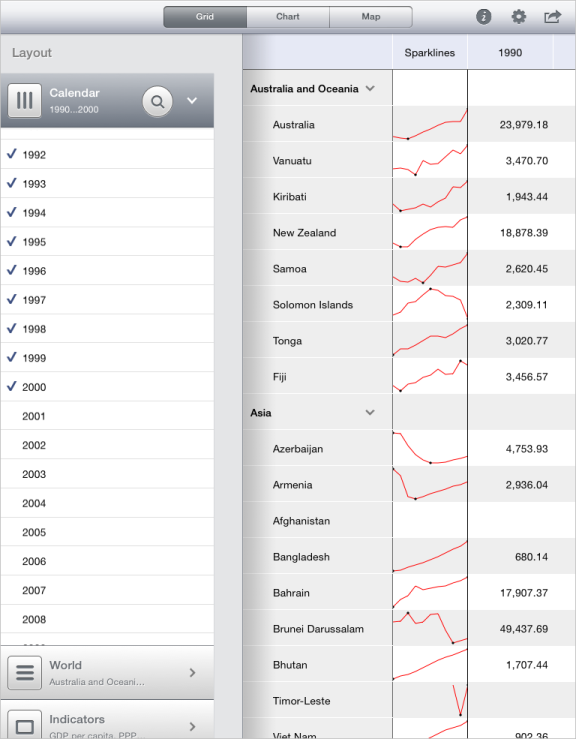
The express report settings popup window is hidden, and the column with sparklines is displayed in the tale:
See also: