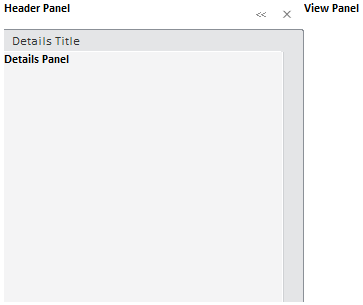
To execute the example, links to the PP.js, PP.css and PP.Metabase.css files must be added within the HEAD tag. Seebelow the Javascript code used to create the SlidePanel component.
    var slidePanel = new PP.Ui.SlidePanel({
        ParentNode: document.getElementById("slide"),
        //The Details panel header
        DetailsTitleContent: "Details Title",
        //Tooltip for the Console Close button
        CloseToolTip: "Close",
        //Tooltip for the Console Collapse button
        CollapseConsoleToolTip: "CollapseConsole",
        //Tooltip for the Console Expand button
         ExpandConsoleToolTip: "ExpandConsole",
        //Tooltip for the Header panel
        HeaderToolTip: "Header",
        //Contents of the Header panel
        HeaderContent: "<div><b>Header Panel</b>",
        //Contents of the View panel
        ViewContent: "<div><b>View Panel</b></div>",
        //Contents of the Details panel
        DetailsContent: "<div><b>Details Panel</b></div>",
        //left panel width
        LeftPanelWidth: 300
    });
    //component height
    slidePanel.setHeight(300)
    slidePanel.setWidth(500)
Executing the example creates SlidePanel component that looks as follows:
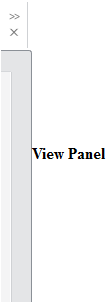
Clicking the  button collapses the console:
Seebsp;also: