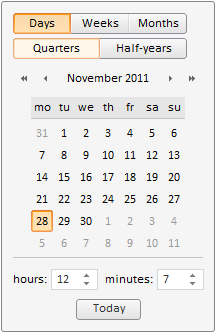
To execute the example, in the HEAD tag add links to PP.js library and to PP.css visual styles table. The resources folder stored at |-PATH-| must be available. In the BODY tag add a DIV element with theidentifier example. In the SCRIPT tag add a code that creates a MonthCalendar component:
PP.resourceManager.setRootResourcesFolder("|-PATH-|resources/");
PP.setCurrentCulture(PP.Cultures.ru);
var MC = new PP.Ui.MonthCalendar(
{
    ParentNode: document.getElementById("example"),
    NextHalfYearName: "Next half-year",
    NextMonthName: "Next month",
    NextYearName: "Next year",
    PreviousHalfYearName: "Previous half-year",
    PreviousMonthName: "Previous month",
    PreviousYearName: "Previous year"
});
The calendar for date picking is located on the HTML page after executing the example:
See also: