To execute the example, HTML page must contain link to the PP.js and PP.css files. To display dialog box icon it is necessary to have the link to the question.png file. In the onload event of the <body> tag it is necessary to specify the call of the createMessage() function:
function createMessage() {
    // Set path to resources
    PP.resourceManager.setRootResourcesFolder("../build/resources/");
    // Set culture
    PP.setCurrentCulture(PP.Cultures.ru);
    // Create dialog box
    message = new PP.Ui.Message({
        // Set custom type of dialog box
        Type: "Custom",
        // Set path to the file with image
        ImageUrl: "../build/img/question.png",
        // Dialog box content
        Content: "Dialog box",
        // Buttons
        Buttons: PP.Ui.MessageButtons.Ok
    });
    message.show();
}
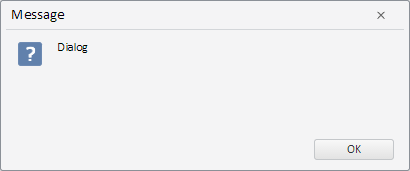
As a result dialog box is displayed:
See also: