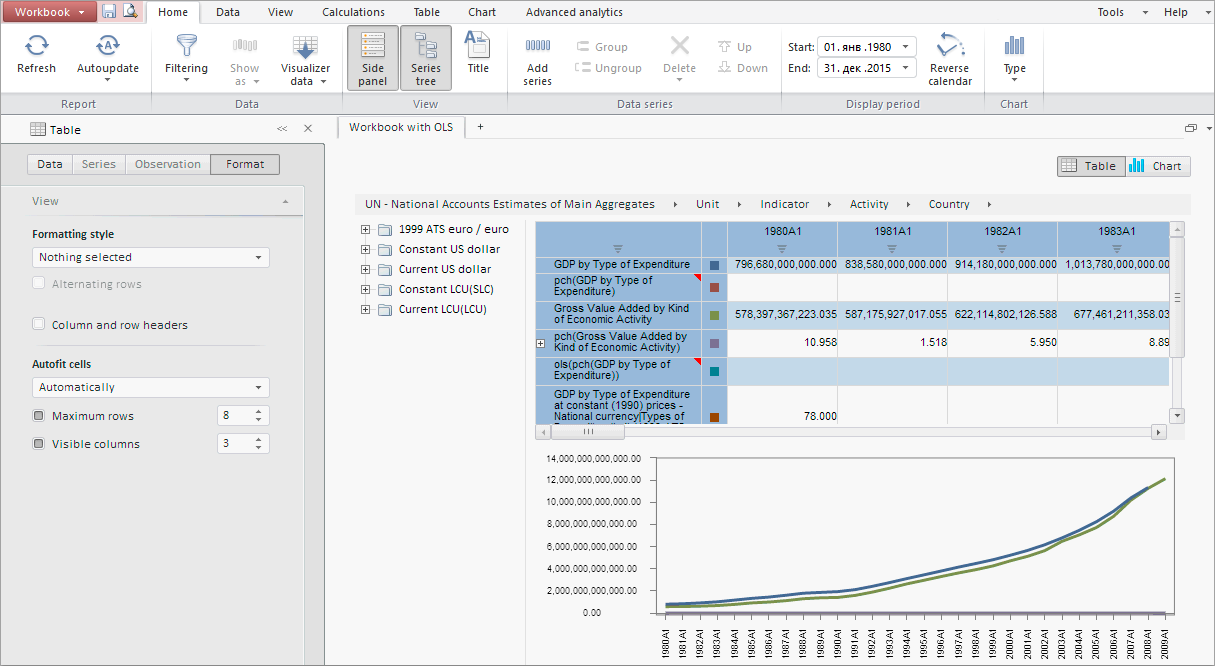
Executing the example requires a workbook with the 66642 key. Create an HTML page and execute the following operations:
1. Add links to JS and CSS files in the <head> tag:
PP.js.
PP.Metabase.js.
PP.Express.js.
PP.TS.js.
PP.css.
PP.Express.css.
PP.TS.css.
2. Add a script for displaying a workbook:
<script text="text/javascript">
    PP.resourceManager.setRootResourcesFolder("../resources/");
    PP.setCurrentCulture(PP.Cultures.ru);
    var metabase, source, tsService, settings, workbookBox, metabase, waiter;
    var viewMode = false;
    try {
        PP.resourceManager.ResourcesLoaded.add(function () { PP.setCurrentCulture(PP.getCurrentCulture()); });
    }
    catch (e) { }
    PP.ImagePath = "../build/img/";
    PP.ScriptPath = "../build/";
    PP.CSSPath = "../build/";
    function Ready() {
        // Create loading indicator
        waiter = new PP.Ui.Waiter();
        // Create connection with repository
        metabase = new PP.Mb.Metabase({
            PPServiceUrl: "PPService.axd?action=proxy",
            Id: "p7repository",
            UserCreds: { UserName: "sa", Password: "Qwerty1" },
            StartRequest: function () { waiter.show(); },
            EndRequest: function () { waiter.hide(); },
            Error: function (sender, args) { alert(args.ResponseText); }
        });
        // Open repository connection
        metabase.open();
        // Create service to work with time series
        tsService = new PP.TS.TSService({ Metabase: metabase });
        // Create event handler of document opening
        var onFirstOpened = function (sender, args) {
            // Create class instance of of workbook display
            workbookBox = new PP.TS.Ui.WorkbookBox({
                ImagePath: "../build/img/", // Path to the image folder
                ParentNode: "WorkbookBox", // The DOM parent node
                Source: wbk, // Data source (workbook which data is displayed in the component)
                Service: tsService, // Service to work with time series
                // Set width and height
                Width: (document.documentElement.clientWidth - 0),
                Height: (document.documentElement.clientHeight - 20)
            });
        };
        // Open workbook with the key 66642
        wbk = tsService.editDocument(66642, onFirstOpened);
    };
</script>
3. In the <body> tag, as a value of the onLoad attribute, specify name of the function for workbook loading:
<body onselectstart="return false" class="PPNoSelect" onload="Ready()" style="margin: 0px">
    <div id="WorkbookBox"></div>
    <div id="params"></div>
</body>
After executing the example the HTML page will contain a workbook that looks as follows:
See also: