getTrendWizard();
The getTrendWizard method returns the data validation wizard that validates data by comparing time series trends.
This method returns an object of the PP.TS.Ui.TrendWizard type.
Executing this example requires the ValidationSettingsDialog component named validationSettingsDialog (see Example of creating the ValidationSettingsDialog component). Show data validation wizard that compares time series trends:
/* Get wizard for validation by comparing time series trends */
var trendWizard = validationSettingsDialog.getTrendWizard();
// Get DOM tree for this wizard
var dom = trendWizard.getDomNode();
// Set wizard style
PP.addClass(dom, "PPValidationSettingsDlgContent");
// Make wizard visible
trendWizard.show();
// Add the obtained wizard to the dialog
var dialog = new PP.Ui.Dialog({
    Caption: "Trend comparison", // Dialog title
    Content: trendWizard,
    Width: 735, // Dialog width
    Height: 150 // Dialog height
});
// Display this dialog
dialog.show();
// Get breadcrumb by object in the wizard
var breadcrumb = trendWizard._Breadcrumb;
/* Hide and display again breadcrumb
   for its correct displaying */
breadcrumb.hide();
breadcrumb.show();
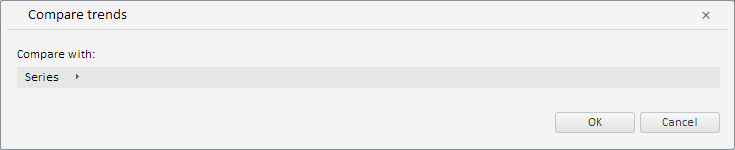
After executing the example the created dialog box shows wizard that validates data by comparing time series trends:
See also: