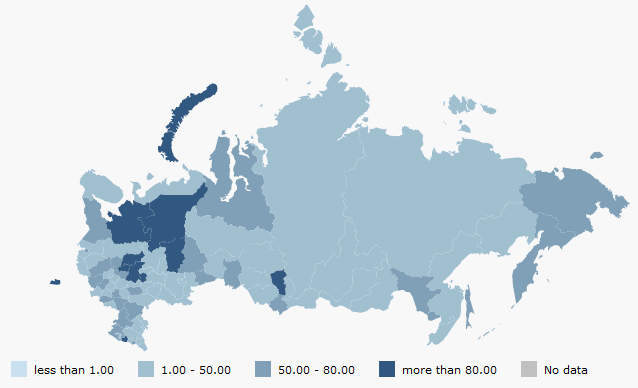
The following files are required to place a map to an HTML page:
An SVG file containing topobase (for example, Russia.svg).
An XML file that contains map settings (settings data must have the JSON format).
Library of DHTML components PP.js.
Library for working with base classes of visual components PP.GraphicsBase.js.
Library used to work with a PP.MapChart map.
A styles file PP.css.
In the HEAD tag add links to JS and CSS files (PP.js, MapChart.js, PP.css).
In the BODY tag add the attribute onresize:
<body onresize="onresize()">
<div id="map"></div>
</body>
In the SCRIPT tag add the following code:
    //Create a variable that will contain a map
    var map;
    function createMap(mapData)
    {
        if (map) map.dispose();
        var mapContent = document.getElementById("map-content");
        //get the JSON settings of the map
        var settings = JSON.parse(mapData);
        //determine a topobase
        settings.MapChart.Topobase = "MapData/topobase/SVG/Russia.svg";
        settings.MapChart.ParentNode = "map";
        //path to the folder with images
        settings.MapChart.ImagePath = "PP_img/";
        //create a map
        map = new PP.MapChart(settings.MapChart ? settings.MapChart : settings);
        window.onresize();
    }
    //request to get the file with JSON settings of the map
    var Request = new PP.Ajax(
    {
        Url: "MapData/MapData_russia.xml?d=" + (new Date).toTimeString(),
        Success: function (sender, args)
        {
            createMap(args.ResponseText);
            Request.dispose();
        }
    });
    Request.send();
    //Function to update map sizes
    function updateSize()
    {
        if (map)
        {
            map.setHeight(document.documentElement.clientHeight - 60);
            map.setWidth(document.documentElement.clientWidth);
        }
    }
    var idTime;
    //function to set map sizes according to window sizes
    window.onresize = function ()
    {
        if (idTime) clearTimeout(idTime);
        idTime = setTimeout(updateSize, 100);
    }
The map with the Russia.svg topobase is located on the HTML page after an example execution. Map appearance depends on the settings specified in the XML file:
See also: