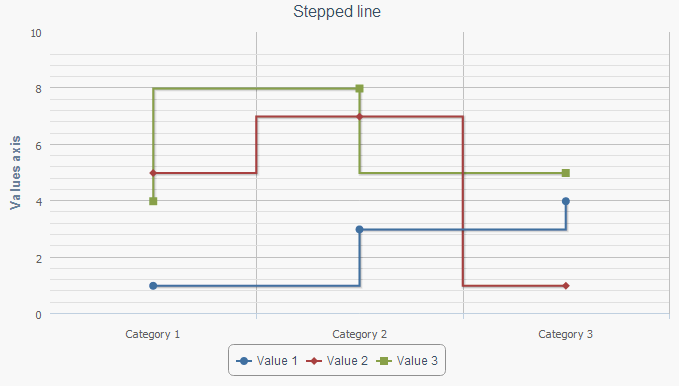
To create a stepped line, execute the following operations:
In the head tag add links to the following libraries: PP.js, jquery.js and highcharts.src.js:
<head>
<script type="text/javascript" src="../../build/PP.js"></script>
<script type="text/javascript" src="../../libs/jquery.js"></script>
<script type="text/javascript" src="../../libs/hc/highcharts.src.js"></script>
</head>
In the body tag add the div element with the ID container, to be used as the chart container.
In the Script tag add the Java Script code to initialize chart:
<br />
<script type="text/javascript">
$(function () {
chart1 = new Highcharts.Chart({
chart: {
renderTo: 'container',
type: 'stepline'
},
title: {
text: 'Stepped line'
},
xAxis: {
categories: ['Category 1', 'Category 2', 'Category 3']
},
yAxis: {
title: {
text: 'Y axis'
}
},
series: [{
name: 'Value 1',
data: [1, 3, 4],
step: 'left'
}, {
name: 'Value 2',
data: [5, 7, 1],
step: 'center'
},
{
name: 'Value 3',
data: [4, 8, 5],
step: 'right'
}]
});
});
</script>
After executing the example a stepped line is placed on the page:
Different step position relative to series points is set for each data series: on the left, in the center and on the right.
See also: