PP.Ui.PCLine(settings);
settings. JSON object that contains values of component properties.
The PCLine constructor creates a chart line.
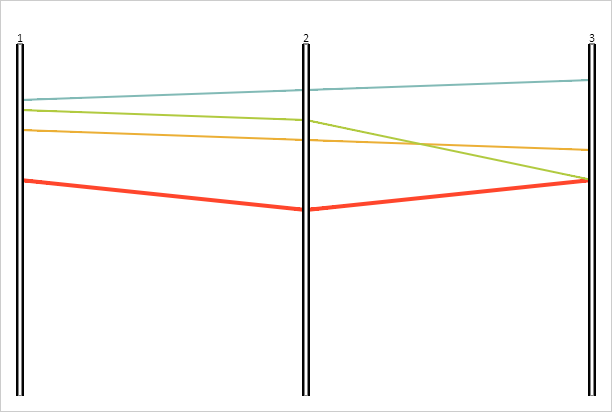
Executing the example requires the ParallelCoordinates component named coord (see Example of Creating the ParallelCoordinates Component). Create a new line and add it to the chart:
// Create a new line
line = new PP.Ui.PCLine({
    Chart: coord,
    Id: "line4",
});
// Add new data
dataSource.setItemName(line.getId(), "Line 4");
dataSource.add(line.getId(), new PP.TimeAxis({ Items: [150] }), "id1");
dataSource.add(line.getId(), new PP.TimeAxis({ Items: [180] }), "id2");
dataSource.add(line.getId(), new PP.TimeAxis({ Items: [150] }), "id3");
// Set line color
line.setColor(coord.getLinesColors()[4]);
// Set line width
line.setThickness(4);
line.draw();
// Add this line to the chart
coord.getLines().push(line);
As a result, the new line is added to the chart:
See also: