To execute the example, in the <head> tag of HTML page add links to the JS and CSS files:
PP.js.
PP.Metabase.js.
PP.App.js.
PP.css.
PP.App.css.
App.resources.ru.js.
Add the onload attribute in the <body> tag:
<body onload="createAboutBox()">
</body>
Add the script in the <script> tag:
function createAboutBox() {
    // Set fields
    settings = {
        CaptionIcon: "../build/img/app/MainIcon.png",
        ContactInfo: new PP.Application.ContactInfo({
            MailAddress: "support@organizationname.com",
            Site: "www.organizationname.com"
        }),
        LogoUrl: "../build/img/app/logo.png",
        ResourceKey: "AboutBox",
        ServiceVersion: "Custom-built 2018",
        Version: "Demo version 2018",
        Copyright: "Organization name"
    };
    // Create the AboutBox component
    about = new PP.Application.AboutBox(settings);
    // Display the About dialog box
    about.show();
}
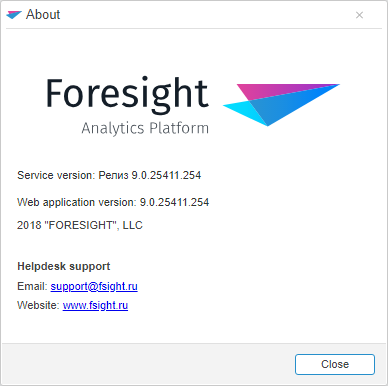
After executing the example the About dialog box is displayed on the HTML page:
See also: