Connect to XenMobile. Select the checkbox for further connection to Citrix XenMobile.
Link to SOAP Services. Specify a link to the list of SOAP services to connect to Citrix XenMobile.
User Name. Enter name of the user who has access to the specified SOAP services list.
Password. Enter user account password.
The boxes are mandatory.
Click the Save button.
Click the Check Connection button to check the specified Citrix XenMobile connection parameters. If the answer is yes, the Connected green button is displayed; if the answer is no, the Connection Error red button is displayed. If an error connection occurred, check internet connection or Citrix XenMobile connection parameters.
After this the connection to Citrix XenMobile is established.
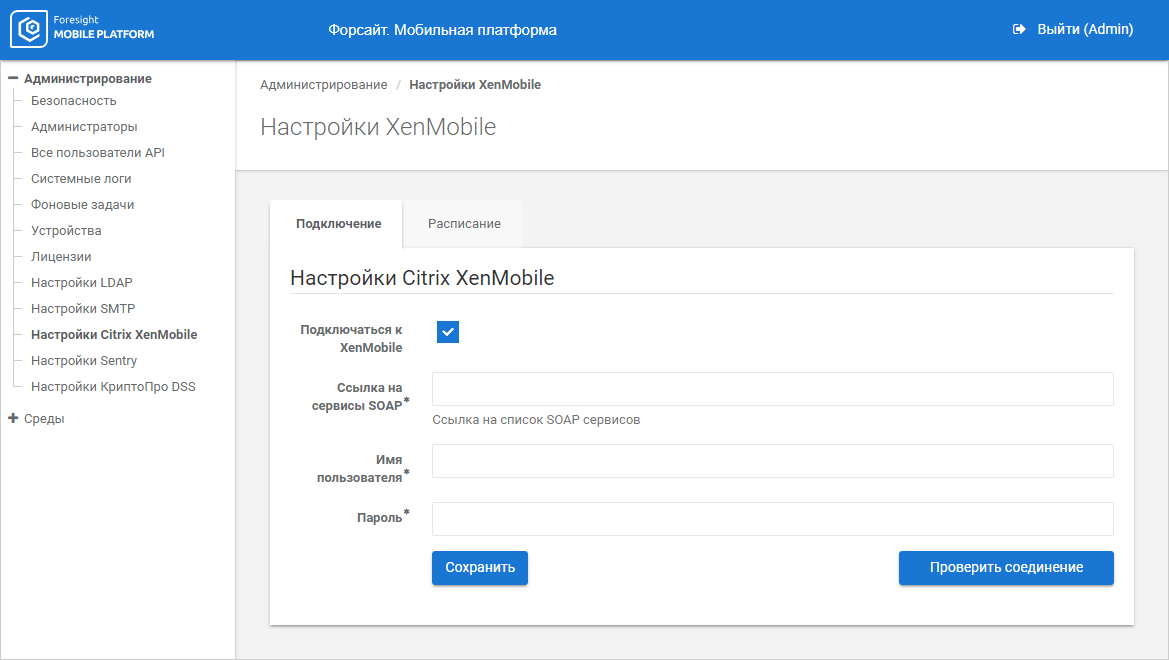

 Connect to Citrix XenMobile